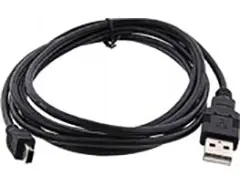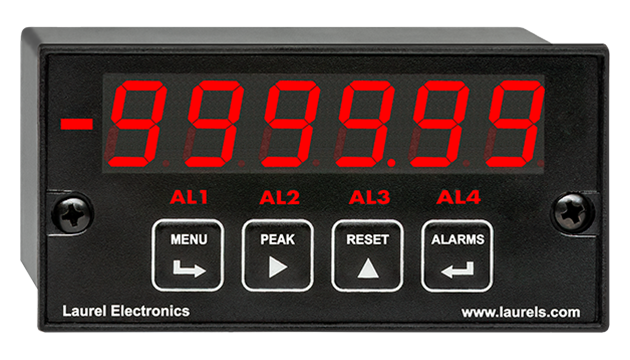
New Front Panel USB-C Port Coming Soon!
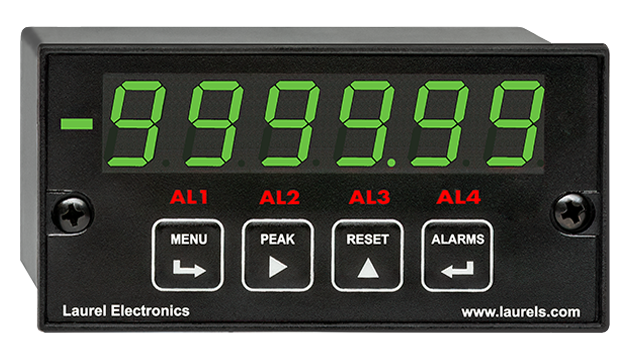
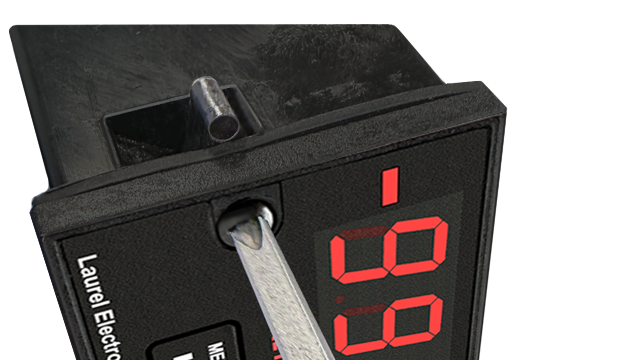
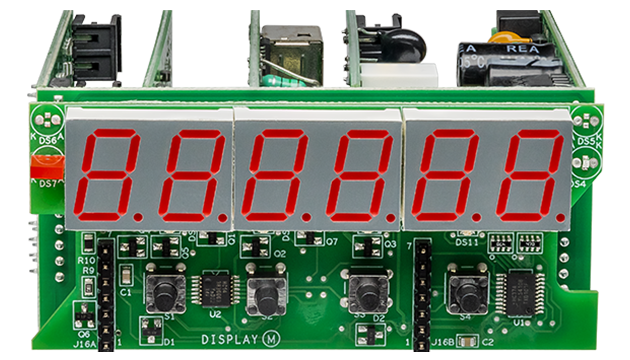
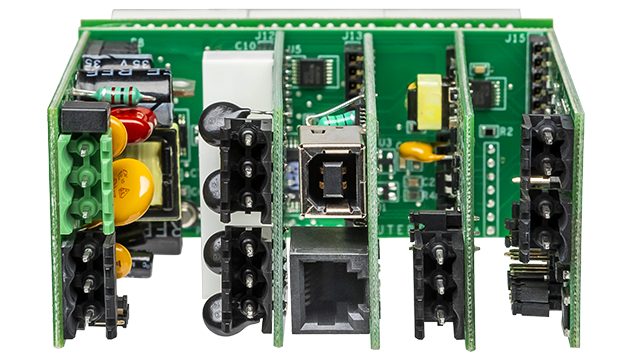
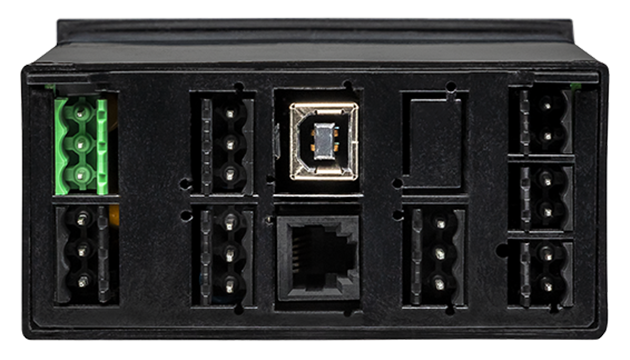
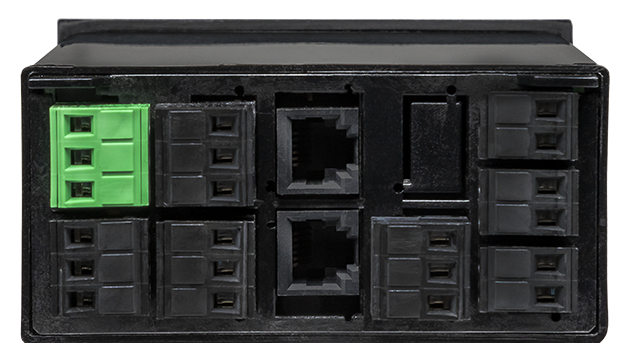
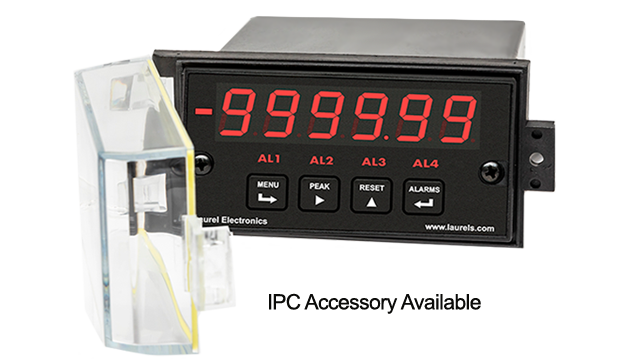
The Laureate™ quadrature meter with the Extended counter main board can be set up for scaled position or rate, but not for simultaneous position and rate. For example, it can display the speed of a moving slab in ft/sec. The display and control output update rate for position or rate is normally set to a maximum of 25/sec, as determined by a user-programmable gate time.
If the counts are only for one direction, for example for extrusions measured by an encoder wheel, only the encoder's "A" channel can be used and be output to an Extended Laureate totalizer. This model accommodates very high pulse rates up to 1 MHz, and unlike the quadrature meter, it can simultaneously track rate and total. It can also be programmed for batch control, which allows it to simultaneously track rate, batch (or current) total, and grand total or number of batches.
Easy USB-C Programming: Configure a Laureate panel meter through the front-panel USB-C port with Laurel’s free Instrument Setup Software for Windows. Meters with a data interface board can also be programmed through that interface. The software shows only the settings that apply to your installed option boards, and configurations can be saved to the meter, a PC, a file server, or a USB thumb drive. Laurel’s free Instrument Setup Software can also be used for light-duty data collection.
All signal conditioner board ranges are factory-calibrated, with calibration factors for each range securely stored in an onboard EEPROM. These factors can be scaled via software to accommodate external shunts, enabling field replacement of signal conditioner boards without necessitating recalibration of the associated panel meter. For optimal accuracy, factory recalibration is recommended annually. All Laurel Electronics instruments undergo factory calibration using the industry-leading Fluke calibrators, which are recalibrated yearly and certified traceable to national standards, ensuring the highest level of precision and reliability.
Peak and valley values are automatically captured. These may be displayed via a front panel pushbutton command or control signal at the rear connector, or be transmitted as serial data.
Two rear panel control Inputs (CMOS/TTL levels, logic 0 = tied to digital ground, logic 1 = open) or dry contacts that can be set to control / activate 14 meter commands.
An (isolated) 5, 10, 12, or 24 Vdc excitation output is standard to power transducers or two-wire transmitters. Ratiometric operation, which automatically compensates for changes in the applied excitation, is jumper selectable for applications, such as bridges, where the signal to be measured is proportional to the excitation level.
| Display | |
|---|---|
| Readout | 6 LED digits, 7-segment, 14.2 mm (.56"), red or green. |
| Display Range | -999,999 to +999,999, XXXXEX notation beyond 999,999 |
| Zero Adjust | -999,999 to +999,999 |
| Span Adjust | 0 to ±999,999 |
| Indicators | Minus sign, 4 red LED lamps |
| Front-Panel Port | USB-C (programming & data) |
| Protocols | Laurel Custom ASCII (serial), Modbus RTU (serial), Modbus TCP (Ethernet or WiFi) |
| Digital addresses | 247 (Modbus), 31 (Laurel Custom ASCII) |
| Isolation | 250V rms working, 2.3 kV rms per 1 min test |
| Inputs | |
| Types | Differential or single-ended quadrature |
| Transitions Monitored Inputs | X1, X2 or X4 (A,B and Z) |
| Max Pulse Rate | 250 kpulses/sec at X1, 125 kpulses/sec X2, 62.5 kpulses/sec at X4 |
| Position Error | No error contributed by meter |
| Differential High Threshold | +200 mV |
| Differential Low Threshold | -200 mV |
| Differential Limits | -11V to +14V |
| Single-ended High Voltage | 2.5V to 10V |
| Single-ended Low Voltage | -1V to +1V |
| Input Resistance, Typ. | 17 kOhm |
| Recalibration: All ranges are calibrated at the factory. Recalibration is recommended every 12 months. | |
| Quadrature Position Mode | |
| Zero Adjust | -999,999 to +999,999 |
| Span Adjust | 0 to ±999,999 |
| Quadrature Rate Mode | |
| Freq. Technique | Inverse period |
| Conversion Time | Gate time + 30 ms + 0-2 signal periods |
| Gate Time | Selectable 10 ms to 199.99 s |
| Time Before Zero Out | Selectable 10 ms to 199.99 s |
| Output & Display Update | Same as conversion time |
| Time Base Accuracy | Calibrated to ±2 ppm |
| Power Supply Boards (one required) | |
| Voltage, standard | 85-264 Vac or 90-300 Vdc |
| Voltage, optional | 12-32 Vac or 10-48 Vdc |
| Frequency | DC or 47-63 Hz |
| Power Consumption (typical, base meter) | 1.2W @ 120 Vac, 1.5W @ 240 Vac, 1.3W @ 10 Vdc, 1.4W @ 20 Vdc, 1.55W @ 30 Vdc, 1.8W @ 40 Vdc, 2.15W @ 48 Vdc |
| Power Isolation | 250V rms working, 2.3 kV rms per 1 min test |
| Excitation Output (standard) | |
| 5 Vdc | 5 Vdc ± 5%, 100 mA (jumper selectable) |
| 10 Vdc | 10 Vdc ± 5%, 120 mA (jumper selectable) |
| 12 Vdc | 12 Vdc ± 5%, 100 mA (jumper selectable) |
| 24 Vdc | 24 Vdc ± 5%, 50 mA (jumper selectable) |
| Output Isolation | 50 Vdc from signal ground |
| Analog Output Boards (one optional) | |
| Output levels | 4-20 mA, 0-20 mA, 0-10V, -10 to +10V (single-output option) |
| Current compliance | 2 mA at 10V ( > 5 kΩ load) |
| Voltage compliance | 12V at 20 mA (< 600 Ω load) |
| Scaling | Zero and full scale adjustable from -99999 to +99999 |
| Resolution | 16 bits (0.0015% of full scale) |
| Isolation | 250V rms working, 2.3 kV rms per 1 min test |
| (dual analog outputs share the same ground) | |
| Relay Output Boards (one optional) | |
| Dual magnetic relays | 2 Form C, 10A max, 440Vac or 125Vdc max, 2500VA or 300W |
| Quad magnetic relays | 4 Form A (NO), 10A max, 440Vac or 125Vdc max, 2500VA or 300W |
| Dual solid state relays | 2 Form A (NO), AC or DC, 0V - 400V, 120Ma, 35Ohms (max at On-State) |
| Quad solid state relays | 4 Form A (NO), AC or DC, 0V - 400V, 120Ma, 35Ohms (max at On-State) |
| Relay commons | Isolated commons for dual relays or each pair of quad relays |
| Relay isolation | 250V rms working, 2.3 kV rms per 1 minute test |
| Relay latching modes | Latching or non-latching |
| Relay active modes | Active on or off, active high or low |
| Hysteresis modes | QA passband mode, split hysteresis, span hysteresis |
| Communication Boards (one optional) | |
| Board selections | L232 (RS232), L485 (RS485, dual RJ11 connectors), LMOD (RS485, dual RJ45 connectors, not for new design), LUSB (USB-C), LUSB485 (USB-C-to-RS485 gateway), LNET (Ethernet), LNET485 (Ethernet-to-RS485 gateway), LNET1 (Ethernet + USB-C), LNET1485 (Ethernet + RS485 slave or gateway), LWIFI (WiFi + USB-C) internal antenna, LWIFIX (WiFi + USB-C) external antenna, LWIFI485 (WiFi + USB-C + RS485 slave or gateway) internal antenna, LWIFIX485 (WiFi + USB-C + RS485 slave or gateway) external antenna |
| Protocols | Laurel Custom ASCII (serial), Modbus RTU (serial), Modbus TCP (Ethernet or WiFi) |
| Digital addresses | 247 (Modbus), 31 (Laurel ASCII), |
| Isolation | 250V rms working, 2.3 kV rms per 1 min test |
| Environmental | |
| Operating temperature | -40°C to 70°C (-40°F to 158°F) |
| Storage temperature. | -40°C to 85°C (-40°F to 185°F) |
| Relative humidity | 95% at 40°C, non-condensing |
| Protection | NEMA-4X (IP-65) when panel mounted |
| Mechanical | |
| Enclosure | 1/8 DIN, high impact plastic, UL 94V-0, color: black |
| Mounting | 1/8 DIN panel cutout required: 3.622" x 1.772" (92 mm x 45 mm). |
| Dimensions | 4.68" x 2.45" x 5.64" (119 mm x 62 mm x 143 mm) (W x H x D) |
| Maximum panel thickness | 4.5 mm (0.18") |
| Tightening Torque - Connectors | Screw terminal connectors: 5 lb-in (0.56 Nm) |
| Tightening Torque - Pawls | Digital Panel Meter Case Pawls: 5 lb-in (0.56 Nm) |
| Weight of base meter | 210 g (7.4 oz) typical (DPM, counter, timer, 6-digit remote display) |
| Weight of option boards | 30 g (1.0 oz) typical per board (analog output, relay output, communications) |
| General | |
| Programming Methods | Four front panel buttons or via Laurel's free Instrument Setup Software, which runs on a PC under MS Windows. |
| Security | Lockout options include using the front panel buttons, the free Instrument Setup Software, or a hardware jumper. |
| Warranty | 3 years parts & labor |
| Recalibration: All ranges are calibrated at the factory. Recalibration is recommended every 12 months. | |
|
|
| 1/8 DIN Digital Panel Meters | DIN Rail Transmitters |
Free Downloadable Windows-based Instrument Setup (IS) software (Data Interface Board Required) for use with our programmable Digital Panel Meters, Scale Meters, Counters, Timers, Remote Displays, and Transmitters, are an easy method to set up Laureate 1/8 DIN digital panel meters, counters, timers, remote displays, and DIN-rail transmitters, as explained in the Instrument Setup Software Manual. Laureate 1/8 DIN instruments can also be set up from the front panel, as explained in their respective Owners Manuals. Instrument Setup software is of benefit whether or not the PC is connected to the instrument.
Set User Account Control (UAC) of MS Windows to "Never notifiy me" so that Instrument Setup Software can create directories. The UAC change screen can be reached as follows:
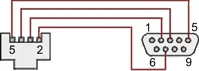
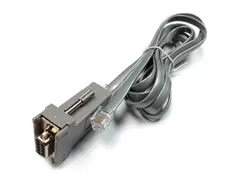
RJ11-to-DB9 cable with rear view of DB9 connector to PC
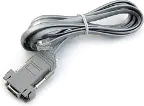
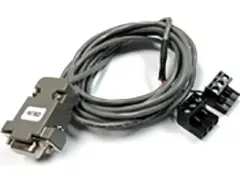
RS232 cable, meter to PC, P/N CBL01
Laureate 1/8 DIN Laureate instruments must be equipped with a serial communications board and be connected to the computer via a serial communications cable. The connection can be via RS232, RS485, USB or Ethernet. Following setup, the serial communications board may be removed from the instrument if desired. The wiring of the RS232 cable is illustrated above with end views of the two connectors.
Laureate LT Series transmitters come standard with a 3-wire serial interface, which can be jumpered for RS232 or RS485.
Laureate LTE Series transmitters come standard with an Ethernet interface.
Click on any of the reduced screens below for a full-size screen view, then click on the Back button of your browser to return to this page. The screens examples below are for a fully-loaded Series 2 Digital Panel Meter (DPM), which is connected to the PC via RS232. If the meter is a Series 1 meter (pre-2007), this is sensed by the software, and somewhat different screens are brought up. Please see Series 1 setup screens.


From the Main Menu, click on Readings if your PC is connected to the meter. A pull-down menu then offers three choices: List, Plot and Graph.


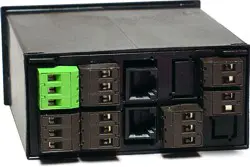


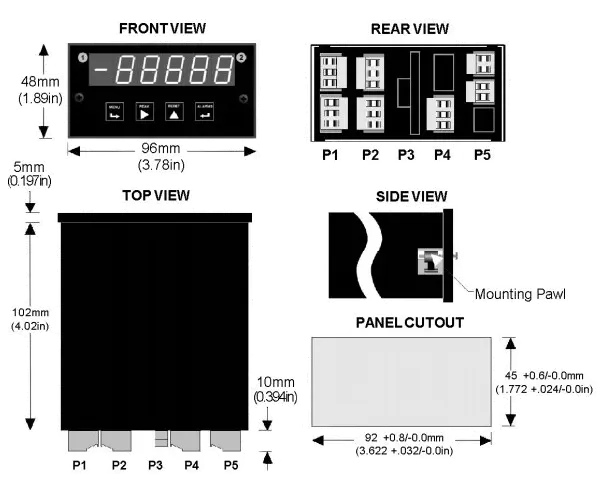
Maximum panel thickness: 4.5 mm (0.18")
Weight of base meter: 210 g (7.4 oz) typical (DPM, counter, timer, 6-digit remote display)
Weight of option boards: 30 g (1.0 oz) typical per board (analog output, relay output, communications)
Tightening Torque - Connectors: Screw terminal connectors: 5 lb-in (0.56 Nm)
Tightening Torque - Pawls: Digital Panel Meter Case Pawls: 5 lb-in (0.56 Nm)
Dimensioned CAD assembly drawings in EPRT, STEP, x_t. dwg, pdf file formats: Laureate-meter-case.zip (zipping prevents browser from opening CAD files as text files).
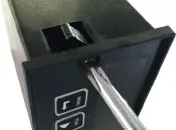 Slide the meter into a 45 x 92 mm 1/8 DIN panel cutout. Ensure that the provided gasket is in place between the front of the panel and the back of the meter bezel.
The meter is secured by two pawls, each held by a screw, as illustrated. Turning each screw counterclockwise extends the pawl outward from the case and behind the panel. Turning each screw clockwise further tightens it against the panel to secure the meter.
Slide the meter into a 45 x 92 mm 1/8 DIN panel cutout. Ensure that the provided gasket is in place between the front of the panel and the back of the meter bezel.
The meter is secured by two pawls, each held by a screw, as illustrated. Turning each screw counterclockwise extends the pawl outward from the case and behind the panel. Turning each screw clockwise further tightens it against the panel to secure the meter.
Turning each screw counterclockwise loosens the pawl and retracts it into its well. This position allows installed meter to be removed from their panel, or new meters to be installed in a panel. Do not remove the screws from their pawls. Doing so would cause the screw and pawl to fall off and likely get lost. Do not overtighten so as not to damage the plastic parts.
| Using Quadrature for Cutting to Length | |
|---|---|
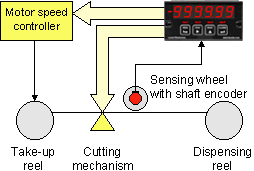 |
Controlling the repetitive cutting of material to length is an excellent application of the Laureate quadrature meter. The quadrature encoder shares the shaft of a sensing wheel, whose rotation corresponds to lineal displacement of material. The meter compares the displacement reading against setpoint information, and then uses its dual relays to first slow down and then cut the material. |
| Using Quadrature for X-Y Positioning | |
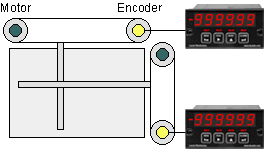 |
Accurate X-Y position or rate can be obtained from two shaft encoders, which convert linear position to quadrature signals as a shaft turns. In addition to serving as a display, each Laureate can use its optional dual relay setpoint capability for closed loop control. It can also transmit data via RS232, RS485, or a 4-20 mA analog signal. |
| Using Quadrature to Monitor a Drilling Operation | |
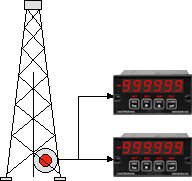 |
Quadrature can be used to track position and vertical drilling speed of the bit in an oil drilling operation. A shaft encoder is rotated by a cable that moves with the drilling shaft. In this application, the same encoder signal is applied to a Laureate quadrature meter for position, and to a second quadrature meter for rate. Both meters can be scaled to read out in appropriate engineering units, such as feet and inches per minute, and can be alarmed. A Laureate 6-digit remote display could be added to read out peak rate. |
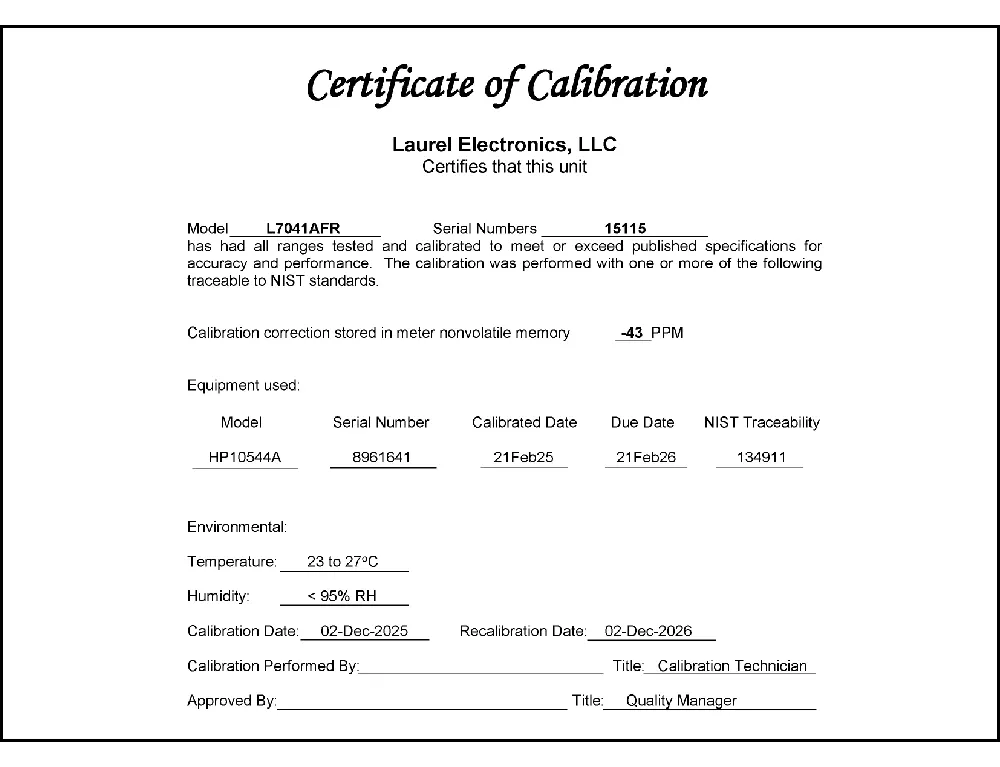
CAL-Digital
Certificate of Calibration
$65.00DLS-XLOG2
XLog2 Data logging Software
$495.00IPC
Digital Panel Meter Splashproof Cover
$55.00CASE1
Digital Panel Meter Benchtop Case1
$150.00CASE2
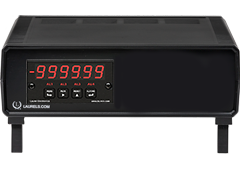
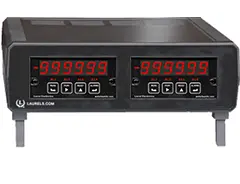
Digital Panel Meter Benchtop Case2
$150.00BOX1
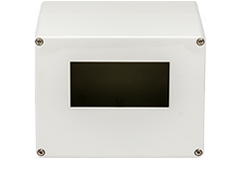
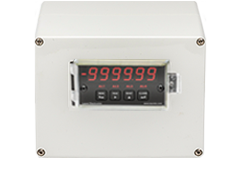
DPM Enclosure Nema-4x Box1
$180.00BOX2
DPM Enclosure Nema-4x BOX2
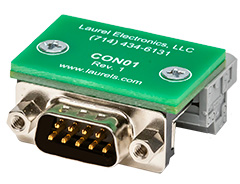
$230.00CON01
CON01 Connector
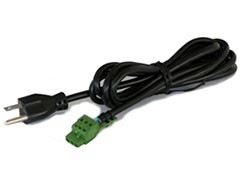
$75.00CBL6
6-foot Power Cable
$41.00CBL12
12-foot Power Cable
$47.00CBL01
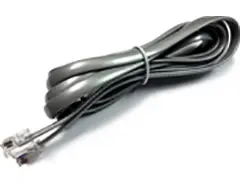
RS232 Cable for Meters
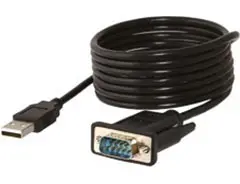
$35.00CBL02
USB-to-RS232 Adapter Cable
$47.00CBL04
RS232 Cable for LT Transmitters
$47.00CBL05
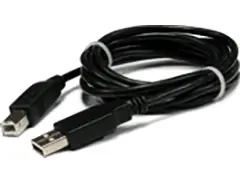
USB Data Cable for Meters
$47.00CBL06
USB-to-RS485 Adapter Cable
$47.00CBL07
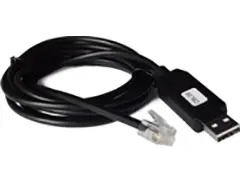
USB Programming & Data Cable
$47.00CBL08
RS485 Splitter Cable
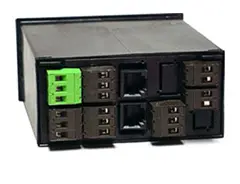
$33.00All boards are isolated from meter and power grounds. Optional Plug-in-Play boards for communications and control include Ethernet, WiFi, serial communication boards, dual or quad relay boards, and an analog output board. Laureates may be powered from 85-264 Vac or optionally from 12-32 Vac or 10-48 Vdc. The display is available with bright red or green 0.56" (14.2mm) high LED digits. The 1/8 DIN case meets NEMA 4X (IP65) specifications from the front when panel mounted. Any setup functions and front panel keys can be locked out for simplified usage and security. A built-in 5, 10, 12, or 24 Vdc excitation supply can power transducers, eliminating the need for an external power supply. All power and signal connections are via UL / VDE / CSA rated screw clamp plugs.
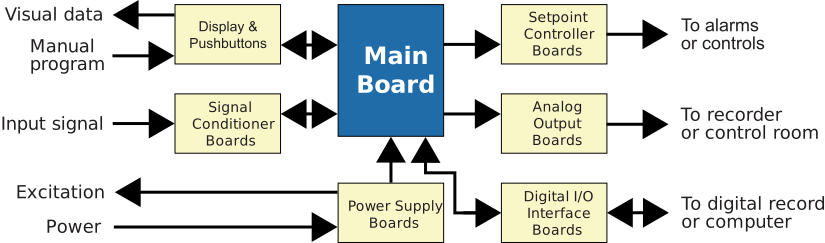
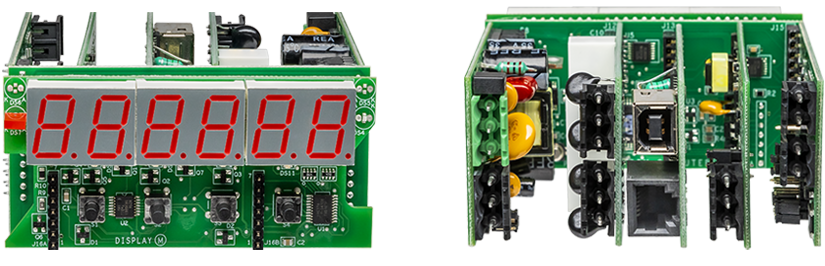
The design of the Laureate™ Series is modular for maximum flexibility at minimum cost. All boards are isolated from meter and power grounds. The base configuration for a panel meter or counter consists of a main module (with computer and plug-in display boards), a power supply board, and a signal conditioner board. Optional plug-in-play boards include an isolated setpoint controller board, an isolated analog output board, and an isolated digital interface board. Modular design and a choice of plug-in options allow the Laureate to be customized for a broad range of applications from simple monitoring to control and computer interface. There can be up to five plug-in boards in a 1/8 DIN Laureate.
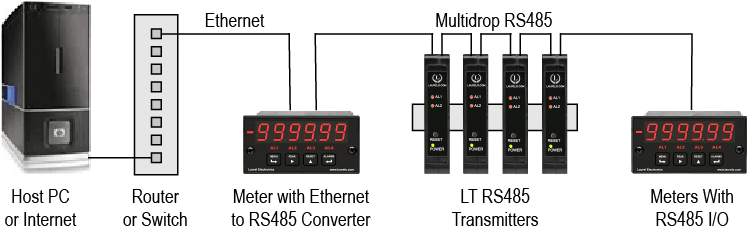
Up to 30 Laureate Panel Meter and/or LT Transmitters can be configured for RS485 and daisy-chained to an LT Transmitter using Laurel’s High Speed Ethernet-to-RS485 converter board for seamless LAN integration. Alternatively, Laurel LTE series Ethernet transmitters can connect directly to a LAN via an Ethernet cable. Setup for both configurations is streamlined using Laurel’s free Instrument Setup Software, which simplifies node discovery and transmitter configuration.
The Laureate Panel Meter can be equipped with Laurel communication boards to support various interfaces and protocols. These include serial interfaces with ASCII or Modbus RTU protocols, and Ethernet interfaces with web access, ASCII, or Modbus TCP/IP protocols, ensuring versatile connectivity for your commercial applications.
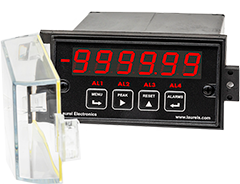
The Laureate™ 1/8 DIN Panel Meter for bidirectional position, length, or angle measurement, with the Standard counter main board, accepts the A and B quadrature signals from shaft encoders or linear encoders to provide a highly accurate, scaled display of position, length, or angle in engineering units (ft, cm, degrees, etc.). The A and B quadrature signals are 90° out of phase, and their phase relationship determines whether up counts (+) or down counts (-) are registered. The meter totalizes the counts and scales the total in software for display and control. A zero index (Z) signal can be added as a third input alongside A and B.
The quadrature meter with the Extended counter main board can be set up for scaled position or rate — but not simultaneous position and rate on the same unit. For example, it can display the speed of a moving slab in ft/sec. The display and control output update rate for either position or rate is normally set to a maximum of 25/sec, determined by a user-programmable gate time.
One, two, or four quadrature transitions may be counted at a maximum combined rate of 250 kHz, then mathematically scaled for display from -999,999 to +999,999. Maximum pulse rates are 250 kpulses/sec at X1, 125 kpulses/sec at X2, and 62.5 kpulses/sec at X4 — the counting mode (X1/X2/X4) trades maximum speed against resolution. Single-ended input signals up to 5V or balanced line driver signals up to 10V are both accommodated by the quadrature signal conditioner board, and built-in anti-jitter circuitry specifically eliminates errors caused by vibration of the encoder.
A zero index pulse, if available from the encoder, is interpreted by the meter as a zero reference for an integral number of revolutions of a rotary encoder, or as the home position of a linear encoder — used for initializing and correcting any cumulative pulse count errors, with special circuitry correcting for the width of the zero index pulse. Separately, in the event of a power failure, the latest total can be stored in non-volatile memory and used as the starting point when power resumes. Power-fail save and zero index capabilities are alternate meter setup choices, not necessarily both active simultaneously.
An excitation output from the meter can power the encoder directly, avoiding the need for an external power supply — jumper-selectable levels are 100 mA at 5V or 120 mA at 10V.
If counts are needed in only one direction — for example, extrusion length measured by an encoder wheel — only the encoder's "A" channel can be used, output instead to an Extended Laureate totalizer. That configuration accommodates very high pulse rates up to 1 MHz and, unlike the quadrature meter, can simultaneously track rate and total; it can also be programmed for batch control to track rate, batch total, and grand total together.
All signal conditioner board ranges are factory-calibrated, with calibration factors stored in an onboard EEPROM that can be scaled via software to accommodate external shunts — enabling field replacement of the signal conditioner board without recalibrating the meter. Factory recalibration is recommended annually.
Not on the standard quadrature configuration — the Extended counter can be set up for scaled position or rate, but not both simultaneously. Applications needing both position and rate from the same encoder signal typically use two separate meters (one configured for each), as in the drilling monitoring example, or use the unidirectional single-channel totalizer configuration instead, which can track rate and total simultaneously.
These modes determine how many transitions of the A/B signal pair are counted per encoder cycle — X1 counts one transition, X2 counts two, and X4 counts all four, with X4 providing the finest resolution at the cost of the lowest maximum pulse rate (62.5 kpulses/sec at X4 versus 250 kpulses/sec at X1).
It's specifically designed to eliminate counting errors caused by vibration of the encoder — mechanical vibration can cause a shaft to oscillate slightly back and forth near a pulse edge, which without anti-jitter protection could be misread as spurious extra counts.
Yes — single-ended input signals up to 5V or balanced line driver (differential) signals up to 10V are both accommodated by the same quadrature signal conditioner board, so the specific encoder's output type needs to be confirmed and matched during setup rather than assumed.
It's optional but useful — the Z pulse gives the meter an absolute reference point once per revolution (or at a linear encoder's home position), which is used to initialize position and correct any cumulative pulse-count drift that might otherwise accumulate over many cycles. Applications that only need relative position or rate tracking can operate without it.
Yes, with power-fail save enabled — the latest total is stored in non-volatile memory and used as the starting point when power resumes. This is configured as an alternate setup choice alongside zero index capability, so it's worth confirming which of the two (or whether both) is actually configured for a given application.
The meter's built-in excitation output (jumper-selectable 100 mA at 5V or 120 mA at 10V) can power the encoder directly, removing the need for a separate power supply for the encoder itself.
For differential signals, the high threshold is +200 mV and low threshold is -200 mV, within overall differential limits of -11V to +14V. For single-ended signals, high voltage is 2.5V to 10V and low voltage is -1V to +1V — confirming the encoder's actual output levels against these thresholds helps avoid signal detection problems.
Not necessarily — for genuinely unidirectional counting (such as extrusion length via an encoder wheel), using only the encoder's A channel with an Extended Laureate totalizer is the documented alternative, which supports much higher pulse rates (up to 1 MHz) and can track rate and total simultaneously, unlike the bidirectional quadrature configuration.
Yes — as shown in the X-Y positioning application, each meter can independently use its dual relay setpoint capability for closed-loop control on its own axis, while transmitting data via RS232, RS485, or 4-20 mA to a supervisory system coordinating both axes.
This is a well-documented phenomenon called mechanical jitter, distinct from electrical noise — any vibration in the assembly affecting the relationship between the encoder's disc, sensor, and light source (from shaft cogging, excessive loading, runout, or application-induced vibration) can produce extra encoder pulses when the shaft sits near a pulse edge, particularly at rest or low speed. This is specifically documented as a mechanical issue rather than a wiring or electronics fault.
Yes, and this is specifically documented as one of the core advantages of quadrature output — on a single-channel encoder, jitter-induced extra pulses are typically misinterpreted as genuine forward rotation, but with quadrature outputs and a quadrature-capable counter (like this meter), the same shaft-vibration-induced pulses are counted up and down alternately as the shaft oscillates, netting out to zero position change rather than accumulating a false count.
This has been specifically documented as a diagnostic distinction: jitter caused by excess system vibration typically shows up on all channels simultaneously, whereas jitter caused by disc decentration (an internal encoder alignment issue) typically shows up on only one channel while the other channel's signal looks clean. Examining whether jitter appears on one channel or both is a documented way to narrow down whether the root cause is external vibration or an internal encoder fault.
This has been specifically documented as a signature of delayed signal rise time, most commonly caused by longer cable runs or output driver issues — the encoder's signal simply isn't reaching full amplitude quickly enough, producing a rounded rather than sharp transition. Checking cable length against the encoder's rated driving distance, and confirming the output driver type matches what's expected, are the documented next steps for this specific waveform signature.
This is specifically documented as an overloading condition — when the actual rotational speed exceeds the encoder's maximum tracking capability (a function of its resolution and maximum frequency rating), it simply can't keep up, producing missed counts. Using a higher-resolution encoder rated for the actual speed, or reducing rotational speed if the process allows, are the documented remedies.
Yes — this is specifically documented as one of the most common causes of inaccurate encoder output, separate from any electrical signal issue: a loose or misaligned mechanical coupling means the encoder isn't accurately following the true motion of the object being measured, so even a perfectly functioning encoder produces readings that don't match reality. Checking the tightness and alignment of the mechanical coupling is a standard first step before suspecting the encoder or receiving meter electronics.
Documented troubleshooting guidance specifically calls out power supply stability as a cause of inconsistent (not just absent) output — power fluctuations, even relatively small ones, can cause an encoder's output to become inconsistent, which shows up as inaccurate position tracking rather than a complete failure. Supplying clean, regulated power within roughly ±2% of the encoder's rated voltage is a documented baseline requirement, separate from simply confirming the encoder is receiving power at all.
This has been specifically documented as a distinct signal symptom called "flicker," typically resulting from signal interpolation issues within the encoder itself, and is documented as a different phenomenon from ordinary jitter or noise — it produces erratic jumps in the pulse shape rather than the back-and-forth movement characteristic of jitter. Distinguishing flicker from jitter as documented symptom patterns helps direct troubleshooting toward the correct root cause (often internal to a higher-resolution encoder's interpolation electronics) rather than external wiring or vibration.