
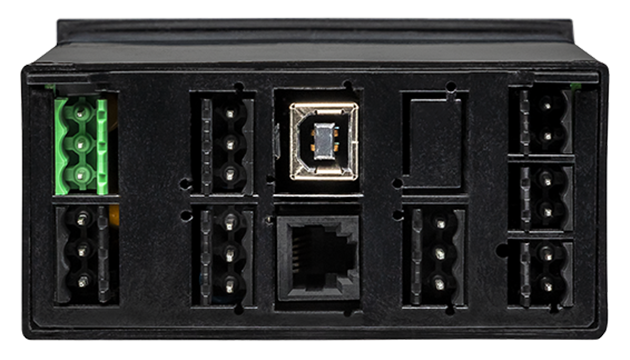
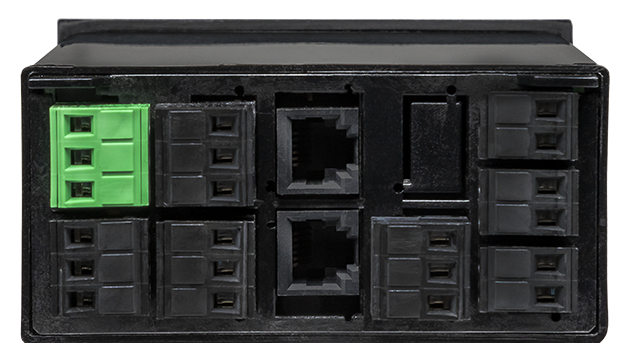
Features
- Panel meter optimized for weighing applications
- Accuracy of 0.01% of reading ± 2 counts
- Display toggle between gross or net weight
- 4- or 6-wire hookup to avoid lead resistance effects
- 10 Vdc excitation to power four 350-ohm load cells in parallel (isolated)
- Count by 1, 2, 5, 10, 20, 50 or 100 with rounding
- 5-digit resolution with scaling from 0 to 99,999
- Auto-tare or manual tare, with tare value stored in non-volatile memory
- All input ranges are user selectable and factory calibrated
- Up to 60 conversions per second, Ideal for peak or valley capture
- Digital span adjust from 0 to ±99,999, zero adjust from -99,999 to +99,999
- Front panel scalable to ±99,999 for use with current shunts
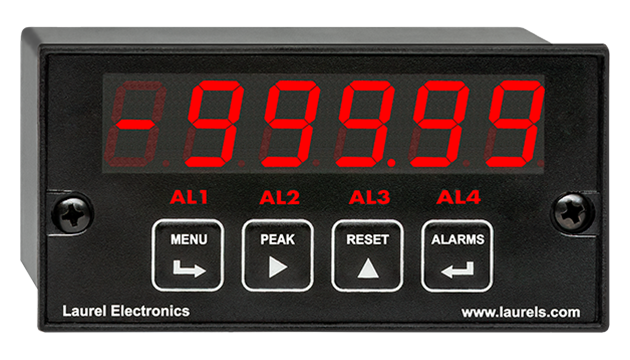
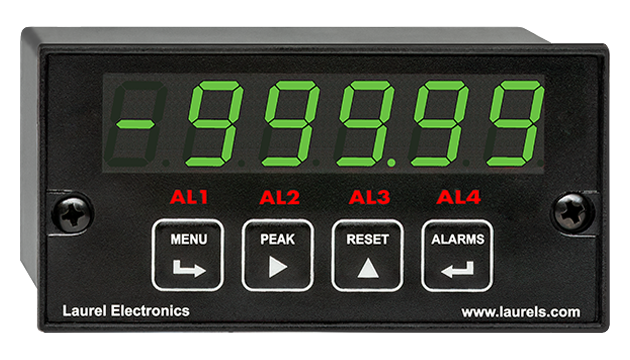
- 1/8 DIN size with bright red or green 0.56" (14.2mm), high LED digits
- Transducer excitation output, 5, 10, 12, or 24 Vdc (isolated)
- Power 85-264 Vac / 90-300 Vdc or 10-48 Vdc / 12-32 Vac (isolated)
- Operating temperature from -40°C to 85°C (-40°F to 158°F)
- Wide choice of Plug-in-Play options:
- 2 or 4 relays, mechanical or solid state, for alarm or control (isolated)
- 1 or 2 Analog output, 4-20 mA, 0-20 mA, 0-10V, or -10V to +10V (isolated)
- Communications: Ethernet, WiFi, USB, RS232, RS485 (isolated)
Certificates of Compliance
The Laureate™ 1/8 DIN Panel Meter for scale weighing applications
is compact, inexpensive, and extremely accurate panel meter with special firmware for weighing applications. It is available with the Laureate load cell or DC signal conditioner board. If you do not need the special weighing firmware, consider using the Laureate load cell meter or Laureate process meter.The DC signal conditioner board can used in lieu of the load cell signal conditioner board, be set to ratiometric operation, and be used with the meter's 5 Vdc or 10 Vdc excitation. It's most sensitive full-scale range is ±200 mV with 10 µV resolution, while the load cell signal conditioner board offers most sensitive ranges of ±20 mV and ±50 mV, both with 1 µV resolution. Meters with both boards offer an accuracy of 0.01% of full scale ± 2 counts.
All signal conditioner board ranges are factory-calibrated, with calibration factors for each range securely stored in an onboard EEPROM. These factors can be scaled via software to accommodate external shunts, enabling field replacement of signal conditioner boards without necessitating recalibration of the associated panel meter. For optimal accuracy, factory recalibration is recommended annually. All Laurel Electronics instruments undergo factory calibration using the industry-leading Fluke calibrators, which are recalibrated yearly and certified traceable to national standards, ensuring the highest level of precision and reliability.
Scaling is from -99,999 to +99,999 (five full digits) with any decimal point to display readings in engineering units, such as PSI. Three scaling methods are user selectable: scale and offset, two-point method, and system-level calibration using actual transducer signals.
Panel Meter accuracy in ratiometric bridge operation is 0.01% of reading ± 2 counts. Custom curve linearization, which is available with the optional Extended main board, can extend the working range of load cells. Custom curve linearization also allows greater accuracy to be achieved with lower cost, less linear load cells.
A built-in isolated excitation supply can provide up to 120 mA of current at 10V to power four 350-ohm load cells in parallel. The panel meter operates in a ratiometric mode to eliminate errors due to supply variations. When excitation sense inputs are used in 6-wire connection, the panel meter compensates for variation in resistance of the transducer leads, thereby allowing long cable runs.
Display & Setpoint Functions for Weighing Applications
- Relay setpoint offset. The ON/OFF setpoint control action can be programmed to occur with a specified offset. For instance, if bags are to be filled to 100 lbs and the material delivery spout is known to hold and dispense an additional 2.5 lbs following shut-off, an offset of -2.5 lbs can be programmed. The setpoint can then be set to 100 lbs, and the filling valve will be automatically shut off when the measured weight reaches 97.5 lbs.
- Count-by function. The weight meter can be programmed so that the display is rounded off to multiples of 1, 2, 5, 10, 20, 50 or 100. For example, if count-by 10 is selected, the meter will display 20 for an internal count of 15 to 24.
- Fixed right-hand dummy zero. The display can be shifted to the left for a fixed zero to the right, allowing values up to 999,990 to be displayed. The right-hand zero precludes the use of decimal points.
- Auto-zero function. An auto-zero limit from 0 to 9 counts can be programmed to compensate for load cell drift. Whenever the meter comes to rest within that limit from zero, it will auto-zero. Entering 0 disables auto-zero.
- Two tare functions: auto-tare and manual tare. In auto-tare, an input line is grounded by an external pushbutton. This causes the current weight, which is normally the empty weight of the container to be stored in memory as an offset. In manual tare, the tare value can be entered manually via the front panel or a computer using Laurel's free Instrument Setup Software. For instance, the tare value may be the stated empty weight of a truck or rail car. Pressing the Reset button on the front panel toggles the display between gross weight (total weight on the scale) and net weight (gross weight with tare subtracted).
The Laureate Panel Meter is easily programmed with Laurel’s free Instrument Setup Software, downloadable from our website and compatible with Windows PCs, requiring a data interface board for setup.
Easy scale calibration is achieved using a simple two-point calibration method. First, the desired LO IN reading is set to 0, and the desired HI IN reading is set to a desired value. With no weight on the scale, a button is pushed for LO IN. With a known weight on the scale, that button is pushed again for HI IN. The panel meter then automatically computes scale and offset for readout up to five digits in weight units.
High read rate of up to 50 or 60 conversions per second, the Laureate™ Panel Meter uses Concurrent Slope (US Pat. 5,262,780) analog-to-digital conversion to integrate signals over a full power line cycle (50 Hz or 60 Hz). This read rate enables peak and valley capture, real-time computer interfacing, and control applications. Peak and valley values are automatically captured and can be viewed using Laurel’s free Instrument Setup Software (compatible with Windows PCs) or transmitted as serial data.
Digital signal filtering modes can be selected to ensure stable readings in electrically noisy environments.
- An unfiltered selection provides true peak and valley readings and aids in control applications.
- A batch average filter selection averages each 16 conversions.
- An adaptive moving average filter selection provides a choice of 8 time constants from 80 ms to 9.6 seconds. When a significant change in signal level occurs, the filter adapts by briefly switching to the shortest time to follow the change, then reverts back to its selected time constant. An Auto setting selects the time constant selection based on signal noise.
Scale and offset can be provided by either of two user-selectable methods:
- With the coordinate reading method, the panel meter reads the high and low signal values, and the user enters the desired high an low reading values. The panel meter then calculates the span multiplier and offset. This method is ideal if an external calibration reference is available.
- With the manual coordinate method, the user enters the high and low input values in Volts plus the desired high and low reading values. This method is suitable if no external calibration reference is available.
Peak and valley values are automatically captured. These may be displayed via a front panel pushbutton command or control signal at the rear connector, or be transmitted as serial data.
Two rear panel control Inputs (CMOS/TTL levels, logic 0 = tied to digital ground, logic 1 = open) or dry contacts that can be set to control / activate 14 meter commands.
An (isolated) 5, 10, 12, or 24 Vdc excitation output is standard to power transducers or two-wire transmitters. Ratiometric operation, which automatically compensates for changes in the applied excitation, is jumper selectable for applications, such as bridges, where the signal to be measured is proportional to the excitation level.
DC Signal Conditioner
| Full-Scale Input | Input Impedance | Zero Adjust | Span Adjust | Error at 25°C |
|---|---|---|---|---|
| ± 200.00 mV | 1 GΩ | |||
| ± 2.0000 V | 1 GΩ | -99,999 | 0 to | 0.01% FS |
| ± 20.000 V | 10 MΩ | to +99,999 | ±99,999 | ± 2 counts |
| ± 20.000 mA | 10 Ω | |||
| Recalibration: All ranges are calibrated at the factory. Recalibration is recommended every 12 months. | ||||
| Display | |
|---|---|
| Readout | 5 LED digits, 7-segment, 14.2 mm (.56"), red or green |
| Range | -99999 to +99999 |
| -999990 to +999990 (with fixed selectable right-hand zero) | |
| Rounding | Count by 1, 2, 5, 10, 20, 50, 100 |
| Indicators | Four LED lamps |
| Accuracy | |
| Error at 25°C | 0.01% FS ± 2 counts |
| Span tempco | 0.0015% of reading/°C |
| Zero tempco | 0.1 µV/°C (use auto-zero when temperature changes) |
| Calibration Method | 2 points using zero weight and known weight |
| Noise Rejection | |
| CMR, DC to 60 Hz | 130 dB |
| NMR at 50/60 Hz | 90 dB with min filtering |
| A-to-D Conversion | |
| Technique | Concurrent Slope (Pat 5,262,780) |
| A-to-D rate | 60/s at 60 Hz, 50/s at 50 Hz |
| Output update | 56/s at 60 Hz, 47/s at 50 Hz |
| Display update | 3.5/s at 60 Hz, 3/s at 50 Hz |
| Power Supply Boards (one required) | |
| Voltage, standard | 85-264 Vac or 90-300 Vdc |
| Voltage, optional | 12-32 Vac or 10-48 Vdc |
| Frequency | DC or 47-63 Hz |
| Power consumption (typ. with four 350Ω load cells at 10V) | 2.4W @ 120 Vac, 2.7W @ 240 Vac, 2.5W @ 10 Vdc, 2.6W @ 20 Vdc, 2.75W @ 30 Vdc, 3.0W @ 40 Vdc, 3.35W @ 48 Vdc |
| Power Isolation | 250V rms working, 2.3 kV rms per 1 min test |
| Excitation Output (standard) | |
| 5 Vdc | 5 Vdc ± 5%, 100 mA (jumper selectable) |
| 10 Vdc | 10 Vdc ± 5%, 120 mA (jumper selectable) |
| 12 Vdc | 12 Vdc ± 5%, 100 mA (jumper selectable) |
| 24 Vdc | 24 Vdc ± 5%, 50 mA (jumper selectable) |
| Output Isolation | 50 Vdc from signal ground |
| Ratiometric operation | Automatically compensates for changes in excitation level. |
| Analog Output Board (one optional) | |
| Output levels | 4-20 mA, 0-20 mA, 0-10V |
| Current compliance | 2 mA at 10V ( > 5 kΩ load) |
| Voltage compliance | 12V at 20 mA (< 600 Ω load) |
| Scaling | Zero and full scale adjustable from -99999 to +99999 |
| Resolution | 16 bits (0.0015% of full scale) |
| Isolation | 250V rms working, 2.3 kV rms per 1 min test |
| Relay Output Boards (one optional) | |
| Dual magnetic relays | 2 Form C, 10A max, 440Vac or 125Vdc max, 2500VA or 300W |
| Quad magnetic relays | 4 Form A (NO), 10A max, 440Vac or 125Vdc max, 2500VA or 300W |
| Dual solid state relays | 2 Form A (NO), AC or DC, 0V - 400V, 120Ma, 35Ohms (max at On-State) |
| Quad solid state relays | 4 Form A (NO), AC or DC, 0V - 400V, 120Ma, 35Ohms (max at On-State) |
| Relay commons | Isolated commons for dual relays or each pair of quad relays |
| Relay isolation | 250V rms working, 2.3 kV rms per 1 minute test |
| Relay latching modes | Latching or non-latching |
| Relay active modes | Active on or off, active high or low |
| Hysteresis modes | QA passband mode, split hysteresis, span hysteresis |
| Communication Boards (one optional) | |
| Board selections | RS232, RS485 with dual RJ11 connectors, RS485 with dual RJ45 connectors, USB, USB-to-RS485 gateway, WiFi with built-in antenna plus USB & RS485, WiFi with external antenna plus USB & RS485 |
| Protocols | Modbus RTU, Modbus ASCII, Modbus TCP (Ethernet), Laurel ASCII |
| Digital addresses | 247 (Modbus), 31 (Laurel ASCII), |
| Isolation | 250V rms working, 2.3 kV rms per 1 min test |
| Environmental | |
| Operating temperature | -40°C to 70°C (-40°F to 158°F) |
| Storage temperature. | -40°C to 85°C (-40°F to 185°F) |
| Relative humidity | 95% at 40°C, non-condensing |
| Protection | NEMA-4X (IP-65) when panel mounted |
| Mechanical | |
| Enclosure | 1/8 DIN, high impact plastic, UL 94V-0, color: black |
| Mounting | 1/8 DIN panel cutout required: 3.622" x 1.772" (92 mm x 45 mm). |
| Dimensions | 4.68" x 2.45" x 5.64" (119 mm x 62 mm x 143 mm) (W x H x D) |
| Maximum panel thickness | 4.5 mm (0.18") |
| Tightening Torque - Connectors | Screw terminal connectors: 5 lb-in (0.56 Nm) |
| Tightening Torque - Pawls | Digital Panel Meter Case Pawls: 5 lb-in (0.56 Nm) |
| Weight of base meter | 210 g (7.4 oz) typical (DPM, counter, timer, 6-digit remote display) |
| Weight of option boards | 30 g (1.0 oz) typical per board (analog output, relay output, communications) |
| General | |
| Programming Methods | Four front panel buttons or via Laurel's free Instrument Setup Software, which runs on a PC under MS Windows. |
| Security | Lockout options include using the front panel buttons, the free Instrument Setup Software, or a hardware jumper. |
| Warranty | 3 years parts & labor |
| Recalibration: All ranges are calibrated at the factory. Recalibration is recommended every 12 months. | |
Free Instrument Setup Software for Series 2 Laureates
|
|
| 1/8 DIN Digital Panel Meters | DIN Rail Transmitters |
Free Downloadable Windows-based Instrument Setup (IS) software (Data Interface Board Required) for use with our programmable Digital Panel Meters, Scale Meters, Counters, Timers, Remote Displays, and Transmitters, are an easy method to set up Laureate 1/8 DIN digital panel meters, counters, timers, remote displays, and DIN-rail transmitters, as explained in the Instrument Setup Software Manual. Laureate 1/8 DIN instruments can also be set up from the front panel, as explained in their respective Owners Manuals. Instrument Setup software is of benefit whether or not the PC is connected to the instrument.
- When the PC is connected to the instrument, Instrument Setup software can retrieve the setup file from the instrument or open a default setup file or previously saved setup file from disk View Setup, then provides graphical user interface (GUI) screens with pull-down menus applicable to input, display, scaling, filtering, alarms, communications, analog output, and front panel lockouts. Fields that are not applicable to the instrument as configured are either left out or grayed out. Clicking on any item will bring up a detailed Help screen for that item. After editing, the setup file can be downloaded, uploaded to the instrument, or saved to a disk. The same setup file can then be downloaded into multiple instruments.
- When the PC is not connected to the instrument, the above GUI screens can be used to set up a virtual instrument. The setup file can then be saved to disk. Switching toView Menu then brings up a screen with the required front panel programming steps. This view can be printed out for use at the instrument site and to serve as a hard copy record.
Download Free Instrument Setup Software
Installation
Set User Account Control (UAC) of MS Windows to "Never notifiy me" so that Instrument Setup Software can create directories. The UAC change screen can be reached as follows:
- Under Windows 7, click on the Windows Start button in the lower left of the desktop and enter "UAC" in the search field.
- Under Windows 8, navigate to Control Panel, then to the "User Accounts and Family Safety" section, and click on "Change User Account Control Settings."
- Under Windows 10, click on the Windows Start button in the lower left of the desktop, then on "Settings", and enter "UAC" in the search field.
- Reboot your computer for the changed UAC setting to take effect.
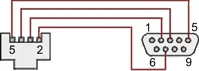
RJ11-to-DB9 cable with rear view of DB9 connector to PC
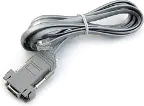
RS232 cable, meter to PC, P/N CBL01
Laureate 1/8 DIN Laureate instruments must be equipped with a serial communications board and be connected to the computer via a serial communications cable. The connection can be via RS232, RS485, USB or Ethernet. Following setup, the serial communications board may be removed from the instrument if desired. The wiring of the RS232 cable is illustrated above with end views of the two connectors.
Laureate LT Series transmitters come standard with a 3-wire serial interface, which can be jumpered for RS232 or RS485.
Laureate LTE Series transmitters come standard with an Ethernet interface.
Meter Setup Screens
Click on any of the reduced screens below for a full-size screen view, then click on the Back button of your browser to return to this page. The screens examples below are for a fully-loaded Series 2 Digital Panel Meter (DPM), which is connected to the PC via RS232. If the meter is a Series 1 meter (pre-2007), this is sensed by the software, and somewhat different screens are brought up. Please see Series 1 setup screens.

Welcome Screen
From the computer desktop, click on Start > Programs > IS2 > IS2. Or click on the IS icon on your desktop. This splash screen will be displayed for three seconds. The software revision number is in the lower right.


Communications Selection Screen
Specify your desired communication protocol and the serial communications bus type, which should match the jumper setup of the instrument. Select None if the PC is not connected to the instrument.

Establish Communications Screen
If you selected RS-232, you will be asked to specify the PC Com Port and Baud Rate, which should match the jumper setup of the instrument. Click on Establish. With the right settings, the Communications Established field will light up in green, and the Meter Type will be recognized. If so, click onMain Menu.

Main Menu Screen
Click on File > Default Setup to retrieve the default setup file from disk for your type of meter. Click on File > Open Setupto retrieve a previously saved setup file from disk or on File > Save Setup to save your edited setup file to disk. Click onDPM > Get Setup to retrieve the setup file from your meter or on DPM > Put Setup to download your edited setup file into the meter.

DPM Input + Display Setup Screen
From the Main Menu, click on View > Setup, then on theInput+Display tab. You can now specify the meter hardware, signal type, display mode, and functions of control inputs A and B. Clicking on any item brings up a pull-down menu with the available choices.

DPM Scaling Setup Screen
Click on the Scaling tab, which provides three scaling methods to relate the signal to the displayed reading: 1) Scale and Offset method, 2) Coordinates of two points method, and 3) Reading Coordinates of Two Points method. The last method uses actual high and low signals, and the computer will prompt you.

DPM Filter Setup Screen
Click on the Filter tab, which allows you to specify the digital filter time constant (if any), the adaptive filter threshold, and whether Peak / Valley values are filtered or unfiltered. As for all setup screens, clicking on the F1 key while an item is highlighted brings up a Help screen for that item, as illustrated.

DPM Relay Alarms Setup Screen
Click on the Relay Alarms tab, which allows you to set up Alarms 1 and 2 for the optional dual relay output board. Clicking on any of the four numeric fields changes these to green and brings up a special field to enter the desired numeric value, which is tied to the displayed reading.

DPM Communications Setup Screen
Click on the Communications tab so set up serial communications. In particular, you can special the Serial Protocol and the meter address if multiple meters are to be addressed on the same serial data line.

DPM Analog Output Setup Screen
Click on the Analog Out tab so set up the optional analog output board. Three output ranges are selectable, the endpoints of which can be tied to user-specified High and Low readings.

DPM Lockouts Setup Screen
Click on the Lockouts tab to check off menu items which will no longer be accessible from the front panel of the meter. This will simplify meter operation and prevent unintended setup changes.
Meter Setup Utilities

DPM Front Panel Setup Screen
As an aid to programming the meter from the front panel when a serial connection is not available, you can return to the Main Menu and click on View > Menu. The required sequence of front panel screens will then be displayed. Click on any step in the sequence for the meaning of each digit, as illustrated for the FILtEr step. For a hardcopy, simply press on Print.

DPM Jumper Setup Screen
Specify your desired communication protocol and the serial communications bus type, which should match the jumper setup of the instrument. Select None if the PC is not connected to the instrument.

DPM Jumper Setup Screens
Click on any of the displayed plug-in boards, and you will be presented with the jumper positions and electrical connections for your selected board. This minimizes the need to refer to the printed manual.

DPM Commands Screen
This page allows you set up external input, serial communications, an analog output proportional to the display (optional), and lockouts for Laureate digital counters. The grayed out area at the top right of the screen applies to Laureate remote displays.


Graphical Output Screens (not available with Ethernet)
From the Main Menu, click on Readings if your PC is connected to the meter. A pull-down menu then offers three choices: List, Plot and Graph.
- List presents the latest readings in a 20-row by 10-column table. Press Pause at any time to freeze the display. This is one method to capture peak readings.
- Plot generates a plot of readings vs. time in seconds. It effectively turns the DPM-PC combination into a printing digital oscilloscope.
- Graph generates a histogram where the horizontal axis is the reading and the vertical axis is the number of occurrences of readings. The display continually resizes itself as the number of readings increases.

DPM Calibration Screens
Click on the Scaling tab, which provides three scalClick on the Scaling tab, which provides three scaling methods to relate the signal to the displayed reading: 1) Scale and Offset method, 2) Coordinates of two points method, and 3) Reading Coordinates of Two Points method. The last method uses actual high and low signals, and the computer will prompt you.

Frequency Meter Calibration Screen
Calibration of the quartz crystal of the Laureate frequency meter requires the input of a known frequency from a calibrator. Apply the frequency, then enter the frequency in Hertz. Calibration will be automatic, with storage of the calibration factor stored in non-volatile memory.
Laureate™ 1/8 DIN Case For Laureate Digital Panel Meters, Counters, Timers & Remote Displays
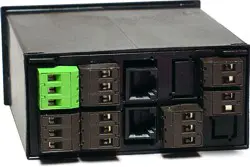
Key Features
- Meets 1/8 DIN Standard.
- Installs from front of panel.
- Short depth behind the panel: only 4" (102 mm) plus connectors.
- Understated 0.157" (4 mm) thick bezel.
- Meets NEMA 4X (IP-65) for high-pressure wawshdon when panel mounted.
- Screw clamps connectors meet VDE / IEC / UL / CSA safety standards.
- Rugged GE Lexan® housing material.
- Safety certified per EN 61010-1.


Dimensions
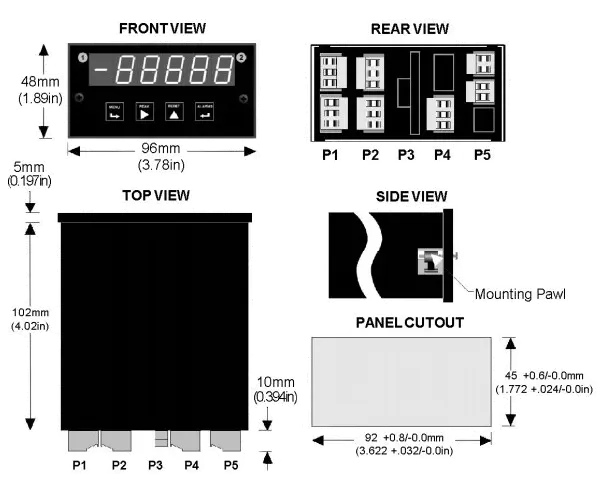
Maximum panel thickness: 4.5 mm (0.18")
Weight of base meter: 210 g (7.4 oz) typical (DPM, counter, timer, 6-digit remote display)
Weight of option boards: 30 g (1.0 oz) typical per board (analog output, relay output, communications)
Tightening Torque - Connectors: Screw terminal connectors: 5 lb-in (0.56 Nm)
Tightening Torque - Pawls: Digital Panel Meter Case Pawls: 5 lb-in (0.56 Nm)
Dimensioned CAD assembly drawings in EPRT, STEP, x_t. dwg, pdf file formats: Laureate-meter-case.zip (zipping prevents browser from opening CAD files as text files).
Panel Mounting
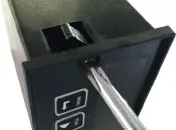 Slide the meter into a 45 x 92 mm 1/8 DIN panel cutout. Ensure that the provided gasket is in place between the front of the panel and the back of the meter bezel.
The meter is secured by two pawls, each held by a screw, as illustrated. Turning each screw counterclockwise extends the pawl outward from the case and behind the panel. Turning each screw clockwise further tightens it against the panel to secure the meter.
Slide the meter into a 45 x 92 mm 1/8 DIN panel cutout. Ensure that the provided gasket is in place between the front of the panel and the back of the meter bezel.
The meter is secured by two pawls, each held by a screw, as illustrated. Turning each screw counterclockwise extends the pawl outward from the case and behind the panel. Turning each screw clockwise further tightens it against the panel to secure the meter.
Turning each screw counterclockwise loosens the pawl and retracts it into its well. This position allows installed meter to be removed from their panel, or new meters to be installed in a panel. Do not remove the screws from their pawls. Doing so would cause the screw and pawl to fall off and likely get lost. Do not overtighten so as not to damage the plastic parts.


Scale Meter Frequently Asked Technical Questions
The load cell meter described on this loadcell page and the scale meter described on this page are similar meters and typically both typically use the same load cell signal conditioner board. Capabilities built into the scale meter’s firmware provide specific features applicable for weighing applications. In most cases, the slightly less expensive load cell meter will also work great for weighing applications. It can be interfaced to the same types of load cells, and it can be scaled to display in units of weight such as pounds, tons or kilograms.
Relay setpoint offset to stop fill operations before a final weight is reached. Count-by function so that the display is rounded off to multiples of 1, 2, 5, 10, 20, 50 or 100. Selectable fixed right-hand dummy zero for a six-digit display to 999990. Auto-zero function to compensate for load cell drift. Auto-tare in additional to manual tare. Please see the explanatory paragraphs on this page.
Yes. A summing box is simply a clean way to connect the meter to the 6 wires of multiple load cells in parallel. Up to four linear load cells of the same type can be connected in parallel and be powered by the same 10 Vdc, 120 mA excitation output of a Laureate scale meter. For example, four load cells can be used to support the four corners of a weighing platform. Each 350 ohm load cell will draw an I=V/R current of 28.6 mA, so that the total current requirement for four load cells is 114.4 mA. For scaling purposes, multiply the weight read by each load cell by the number of load cells, since each only carries part of the load. The best way to scale a system with multiple load cells is to use the "Reading Coordinates of 2 Points" scaling method, which uses actual weights.
Most scale meters use a load cell as the sensor, which provides a 0-20 mV or 0-30 mV output. Meter scaling is the process of converting the load cell output in millivolts to a reading in units of weight. For example, meter scaling would be the setting which allows the scale meter to convert the 0-20.000 mV DC output of a load cell to a 0-5000 pound weight reading.
Simply enter data from the load cell label. For example, the label may state 10V excitation, a load rating of 5000 lbs, and 2.020 mV per volt sensitivity. This means 0 mV should be displayed as 0 lbs, and 20.20 mV should be displayed as 5000. To enter this data into the meter, go to the front panel menu item “SEtuP” and select “Coordinates of 2 points method.” Enter Lo In as 0.000 mV, Hi In as 20.200 mV, Lo Read as 0 lbs, and Hi Read as 5000 lbs. The scale meter will interpolate between these two points to convert the received millivolts to a weight reading in lbs.
The meter’s “Reading coordinates of 2 points method” is most accurate since it scales the meter and load cell as a system by using known reference weights. First zero the scale by not applying any weight and enter zero as the desired reading. Then apply the reference weight and enter its known weight as the reading. Go to the meter’s front panel menu item “SEtuP” and select “Reading coordinates of 2 points method.” The meter will prompt you to measure Lo In and High In, and to enter values for Lo Read and High Read. The scale meter will interpolate between these two points to convert the received millivolts to a weight reading in lbs.
The ordering process for Laureate meters with a WM1 load cell signal conditioner board requires that min input, min reading and max input, max reading be specified at the time of order. This information allows Laurel to set the meter range, which can be ±20.000 mV, ±50.000 mV, ±100.00 mV, ±250.00 mV, or ±500.00 mV. This initial setup can easily be changed by the user by moving jumpers and changing scaling via the meter’s front panel, as explained in the Scale Meter Owner’s Manual.
Laureate meters are modular with slots for a choice of power supply boards, signal conditioner boards, analog output boards, relay boards and communication boards, as illustrated in our Laureates Overview web page. These boards can be ordered installed with a new meter, but they can also be purchased separately later and be simply plugged in. The presence of a new board and the type of board are automatically sensed by the meter’s firmware or by Instrument Setup (IS) software. If you change boards, also change the model number on the meter label.
The Laureate scale meter offers special software feature for weighing and can use either a load cell signal conditioner board (WM1 in the model number) or a process signal conditioner board (P1 or SG1 in the model number). The load cell board is recommended for weighing applications, since it offers a resolution down to 1 microvolt per count, while the process board is limited to 10 microvolts per count. The load cell board can also be set up for a 6-wire connection, while the process board is limited to 4 wires. Both signal conditioner boards can be used with the same types of load cells and can be used to scale millivolt signals for display in units of weight such as lbs or kg.
Annual calibration to NIST standards can be performed by Laurel and by some of its distributors as a service. It can also be performed by the customer using Laurel’s free Windows based Instrument Setup (IS) software. Open the Main Menu of IS software, click on Calibration in the top menu bar, and follow the prompts. An external DC voltage standard is required. Also required in the meter is a communications board, like the Laureate P/N LUSB USB interface board. Following calibration, that board can be removed and be used in another meter.
Analog output scaling is the process of converting the meter reading to an analog output, which can be user selected as 4-20 mA, 0-20 mA, 0-10V or -10 to +10V. Simply enter the load cell meter readings for the bottom and tops of the selected analog output range, and the output will be interpolated linearly between these two readings. Please see Section 17 of the Laureate DPM user manual.
Chances are that your meter is set for the factory default analog output, which is 4-20 mA, and is applying 12V to force a current into an open circuit. To set your meter to a 0-10V or -10 to +10V analog output, set jumpers for unipolar 0-10V or bipolar -10 to +10V operation, select the desired range and scaling, and connect to the correct analog output pins, as explained in the Scale Meter Owner’s Manual.
Application Example: Weighing the Load on a Truck
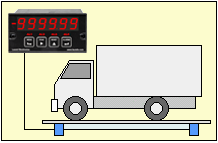
The Laureate weight meter power all four 350 ohm load cells of the scale with its 10 V, 120 mA isolated excitation output. Six-wire connection eliminates the effects of lead resistance and allows long cable runs from the control room to the scale.
The five-digit meter can be scaled to display truck weight up to 99,999 lbs with 1 lb resolution or 999,990 lbs with 10 lb resolution. Accuracy is 0.01% of full scale at 25°C. To avoid the effects of system-level noise, different filter settings as well as "count by" of 1, 2, 5, 10, 20, 50 or 100 with rounding are selectable.
To read out net weight of the load, the truck can first be weighed empty, and this weight can be entered as tare at the push of a button in an auto-tare mode. Or the nominal tare value of the truck can be entered manually. Display of net weight or gross weight is at the push of a button. The gross weight and net weight can be alarmed, be transmitted to a computer via RS232 or RS485, or be transmitted via a 4-20 mA analog signal.
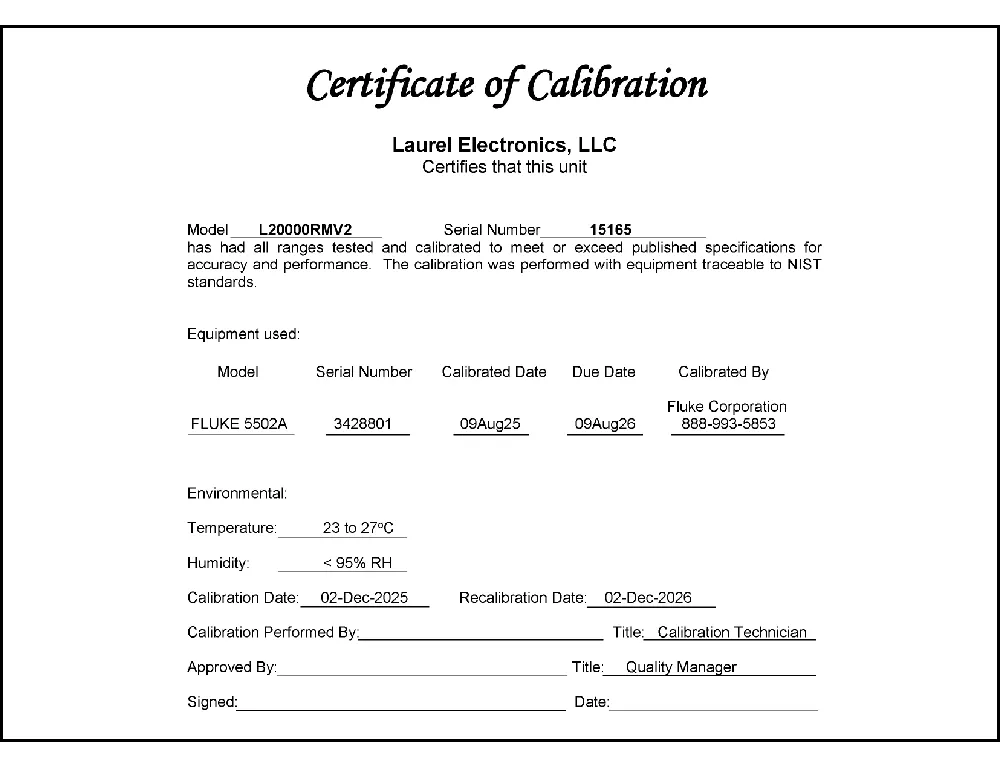
CAL-Analog
Certificate of Calibration
$65.00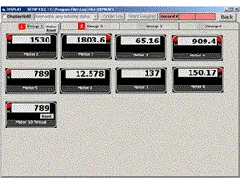
DLS-XLOG2
XLog2 Data logging Software
$495.00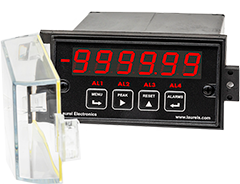
IPC
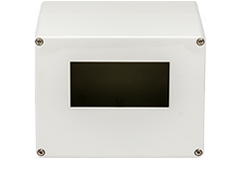
Splashproof Cover
$55.00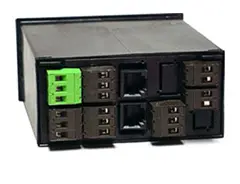

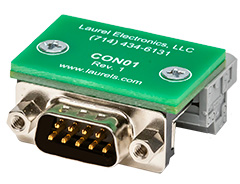
CON01
CON01 Connector
$75.00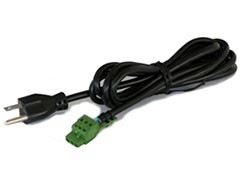
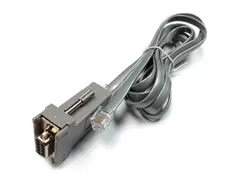
CBL01
RS232 Cable for Meters
$35.00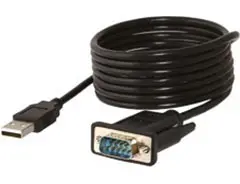
CBL02
USB-to-RS232 Adapter Cable
$47.00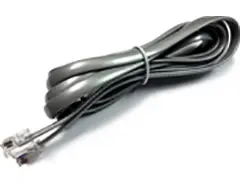
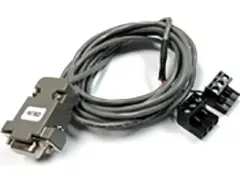
CBL04
RS232 Cable for LT Transmitters
$47.00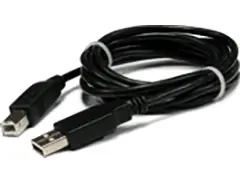
CBL05
USB Data Cable for Meters
$47.00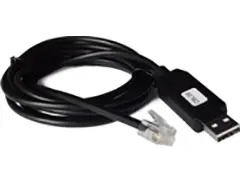
CBL06
USB-to-RS485 Adapter Cable
$47.00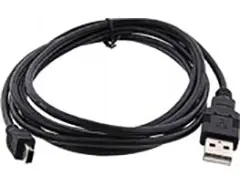
CBL07
USB Programming & Data Cable
$47.00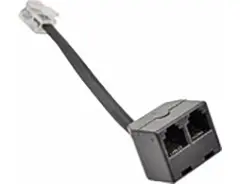
CBL08
RS485 Splitter Cable
$33.00CBL6
6-foot Power Cable
$41.00CBL12
12-foot Power Cable
$47.00Modular Design for Maximum Flexibility at Minimum Cost
All boards are isolated from meter and power grounds. Optional Plug-in-Play boards for communications and control include Ethernet, WiFi, serial communication boards, dual or quad relay boards, and an analog output board. Laureates may be powered from 85-264 Vac or optionally from 12-32 Vac or 10-48 Vdc. The display is available with bright red or green 0.56" (14.2mm) high LED digits. The 1/8 DIN case meets NEMA 4X (IP65) specifications from the front when panel mounted. Any setup functions and front panel keys can be locked out for simplified usage and security. A built-in 5, 10, 12, or 24 Vdc excitation supply can power transducers, eliminating the need for an external power supply. All power and signal connections are via UL / VDE / CSA rated screw clamp plugs.
The Laureate™ Series features modular design with up to 7 isolated plug-in boards, applicable to all Laureate 1/8 DIN Panel Meter.
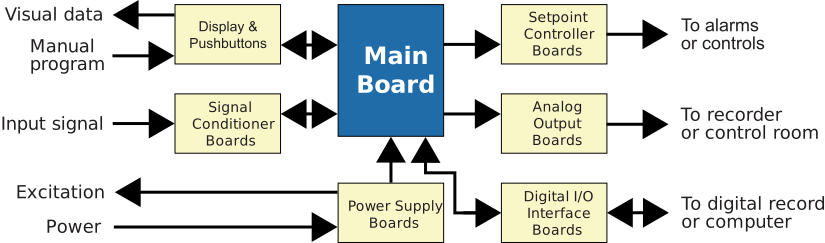
Modular Hardware
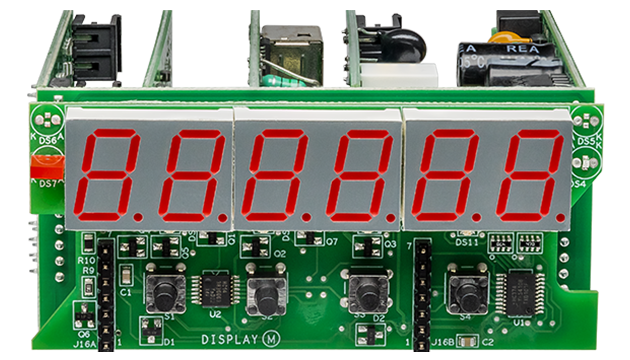
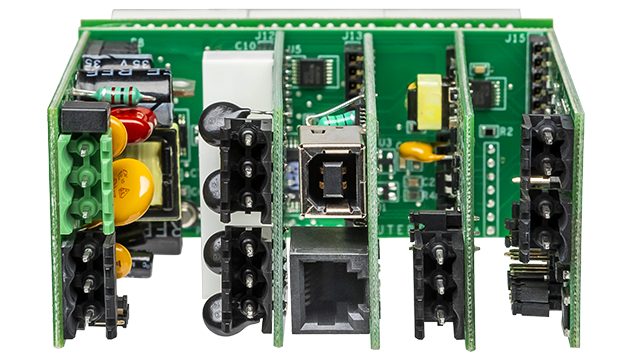
The design of the Laureate™ Series is modular for maximum flexibility at minimum cost. All boards are isolated from meter and power grounds. The base configuration for a panel meter or counter consists of a main module (with computer and plug-in display boards), a power supply board, and a signal conditioner board. Optional plug-in-play boards include an isolated setpoint controller board, an isolated analog output board, and an isolated digital interface board. Modular design and a choice of plug-in options allow the Laureate to be customized for a broad range of applications from simple monitoring to control and computer interface. There can be up to five plug-in boards in a 1/8 DIN Laureate.
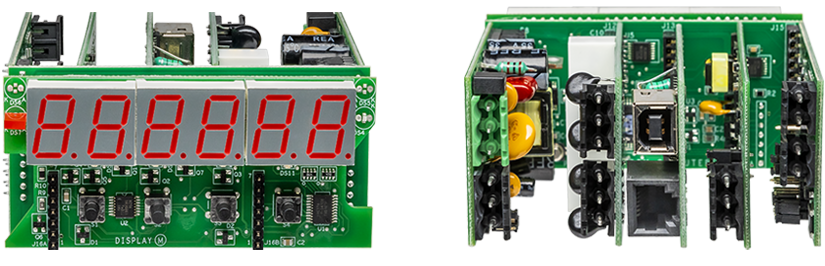
Connecting Laureate Panel Meter to a Local Area Network (LAN)
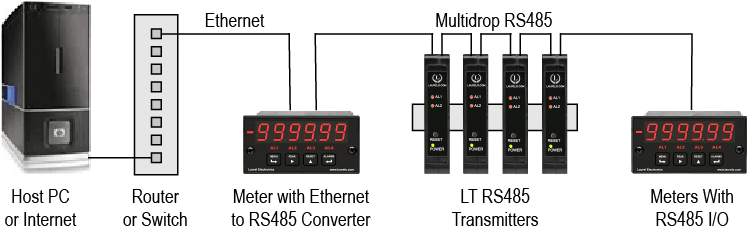
Up to 30 Laureate Panel Meter and/or LT Transmitters can be configured for RS485 and daisy-chained to an LT Transmitter using Laurel’s High Speed Ethernet-to-RS485 converter board for seamless LAN integration. Alternatively, Laurel LTE series Ethernet transmitters can connect directly to a LAN via an Ethernet cable. Setup for both configurations is streamlined using Laurel’s free Instrument Setup Software, which simplifies node discovery and transmitter configuration.
Flexible Communication Options for Panel Meter
The Laureate Panel Meter can be equipped with Laurel communication boards to support various interfaces and protocols. These include serial interfaces with ASCII or Modbus RTU protocols, and Ethernet interfaces with web access, ASCII, or Modbus TCP/IP protocols, ensuring versatile connectivity for your commercial applications.
What Is a 1/8 DIN Panel Meter for Scale and Weighing Applications?
In industrial and commercial settings where precise measurement is crucial, a Panel Meter plays a vital role. Among the various types of Panel Meter, the 1/8 DIN Panel Meter stands out due to its compact size and versatile functionality. This section explores what a 1/8 DIN Panel Meter is, its significance in scale and weighing applications, and the features that make it indispensable in these settings.
What Is a 1/8 DIN Panel Meter?
A 1/8 DIN Panel Meter is a measurement device that fits into a standard 1/8 DIN cutout, which typically measures 1.75 inches by 3.62 inches (44.5 mm by 92 mm). The term "DIN" refers to the Deutsches Institut für Normung, a German standards organization, and is used to define the standard sizes for various types of instrumentation, including a Panel Meter. The 1/8 DIN size is one of the most common standards used for a Panel Meter due to its compact size, allowing it to fit into limited spaces while providing essential measurement capabilities.
Role in Scale and Weighing Applications
In scale and weighing applications, accuracy and reliability are paramount. The 1/8 DIN Panel Meter is designed to interface with load cells and other sensors to provide real-time weight measurements. This Panel Meter is often used in various industries, including manufacturing, food processing, logistics, and pharmaceuticals, where precise weight measurements are critical.
Key Functions
- Measurement Display: The primary function of a 1/8 DIN Panel Meter in weighing applications is to display the weight measured by the connected load cell. The display is typically large, bright, and easy to read, even in challenging environments.
- Signal Conditioning: The Panel Meter often includes built-in signal conditioning features, such as amplification and filtering, to ensure accurate and stable weight readings. This is particularly important in environments where electrical noise or other interference could affect the measurement.
- Tare and Zero Functions: This Panel Meter usually includes tare and zero functions, which are essential in weighing applications. The tare function allows the user to subtract the weight of a container or packaging, while the zero function ensures that the Panel Meter starts from a true zero, providing accurate weight measurements.
- Data Output: Many 1/8 DIN Panel Meter models come equipped with data output capabilities, such as serial communication (RS-232/RS-485) or analog outputs. This allows the Panel Meter to interface with other systems, such as data loggers, PLCs, or remote displays, enabling further processing or recording of the weight data.
- Alarms and Setpoints: In many weighing applications, there is a need to monitor weight against predefined limits. A 1/8 DIN Panel Meter often includes programmable alarms and setpoints, which can trigger alerts or control processes when specific weight thresholds are reached.
- Calibration Features: Advanced 1/8 DIN Panel Meter models offer multi-point calibration capabilities, allowing operators to fine-tune the Panel Meter for maximum accuracy across the entire measurement range. This is especially important when working with different types of load cells or when switching between various weighing applications.
- Peak Hold and Valley Functions: Some 1/8 DIN Panel Meter models include peak hold and valley capture functions, which record the maximum and minimum weight values during operation. This feature is valuable for quality control processes and monitoring fluctuations in dynamic weighing situations.
Advantages of Using a 1/8 DIN Panel Meter
- Compact Size: The 1/8 DIN size makes this Panel Meter easy to integrate into existing control panels, even when space is limited. This compactness does not compromise the functionality, making it a preferred choice in many industrial settings.
- Ease of Installation: Standardized dimensions and mounting procedures simplify the installation process. Most Panel Meter models are designed for easy panel mounting, reducing downtime during installation or replacement.
- Versatility: This Panel Meter can be used with various sensors and load cells, making it suitable for a wide range of weighing applications. Whether it's for industrial scales, tank weighing, or conveyor belt systems, a 1/8 DIN Panel Meter can handle the task.
- Durability: Built to withstand harsh industrial environments, many 1/8 DIN Panel Meter models feature rugged construction with IP-rated enclosures, protecting them from dust, moisture, and other environmental factors.
- Cost-Effectiveness: Compared to larger display systems, the 1/8 DIN Panel Meter offers excellent value for money while maintaining high performance standards. This makes it an economical choice for businesses looking to implement or upgrade their weighing systems without significant capital investment.
- User-Friendly Interface: Modern 1/8 DIN Panel Meter models feature intuitive interfaces with clear displays and simple programming procedures. Many units include front-panel buttons or keypad access for easy configuration and operation, reducing training time for operators.
Technical Specifications and Features
A typical 1/8 DIN Panel Meter for weighing applications includes several technical features that enhance its performance:
- Resolution: High-resolution displays, often up to 6 digits, provide precise weight readings down to fractions of the measurement unit.
- Update Rate: Fast update rates, typically ranging from 10 to 100 readings per second, ensure real-time monitoring of dynamic weight changes.
- Input Sensitivity: The Panel Meter can accept signals from various load cell types, including strain gauge, piezoelectric, and capacitive sensors, with sensitivity in the millivolt range.
- Temperature Compensation: Built-in temperature compensation features help maintain accuracy across varying environmental conditions.
- Power Options: Available in both AC and DC power configurations, with some models offering universal power input for maximum flexibility.
Where Is a 1/8 DIN Panel Meter Used in Scale and Weighing Applications?
A Panel Meter is essential in various industrial applications, providing precise and real-time data display. Among these, the 1/8 DIN Panel Meter is a popular choice, particularly in scale and weighing applications. A 1/8 DIN Panel Meter is a compact device, typically measuring 96 x 48 mm, making it ideal for various settings where space and functionality are key considerations.
1. Industrial Weighing Systems
In industrial environments, accurate weight measurement is crucial. A 1/8 DIN Panel Meter is commonly integrated into weighing systems used in manufacturing, material handling, and processing industries. This Panel Meter displays weight readings from load cells or other weighing sensors, ensuring that operators have precise control over the production process. For example, in a manufacturing plant where raw materials are mixed in specific ratios, the 1/8 DIN Panel Meter ensures that each component is weighed accurately, maintaining product quality and consistency. In steel mills and foundries, this Panel Meter monitors the weight of molten metal and alloys, ensuring proper proportions for desired material properties.
2. Laboratory Weighing Equipment
Precision is paramount in laboratory settings, where even the smallest measurement error can compromise the results of experiments and tests. A 1/8 DIN Panel Meter is often found in laboratory weighing equipment, providing researchers with accurate and reliable weight data. This Panel Meter can be used in conjunction with analytical balances, moisture analyzers, and other sensitive weighing instruments. In pharmaceutical labs, where precise measurements of chemical compounds are required, the reliability of the 1/8 DIN Panel Meter is critical for ensuring the safety and efficacy of the products being developed. Research laboratories also use this Panel Meter for formulation development, where exact ingredient ratios must be maintained for experimental consistency.
3. Food and Beverage Industry
In the food and beverage industry, consistency and compliance with regulatory standards are vital. A 1/8 DIN Panel Meter is employed in weighing systems used for portion control, packaging, and quality assurance. This Panel Meter helps ensure that products are consistently packaged with the correct weight, which is essential for customer satisfaction and regulatory compliance. For instance, in a food processing plant, a 1/8 DIN Panel Meter might be used to monitor the weight of ingredients being mixed to produce a final product, ensuring that the recipe is followed accurately every time. In beverage bottling operations, this Panel Meter monitors fill weights to prevent underfilling or overfilling, ensuring compliance with trade measurement regulations.
4. Retail Weighing Scales
Retail environments, such as grocery stores and supermarkets, require accurate and user-friendly weighing scales. A 1/8 DIN Panel Meter is often used in these scales to display the weight of products being sold by weight, such as produce, meat, and bulk items. The clear and easy-to-read display provided by this Panel Meter helps ensure that customers are charged accurately for their purchases. This Panel Meter is typically found in point-of-sale systems, integrated into the weighing scales that provide both the customer and the cashier with real-time weight information. Deli counters, butcher shops, and bulk food sections rely heavily on this Panel Meter for accurate pricing and customer trust.
5. Transportation and Logistics
In the transportation and logistics sector, weight measurement is critical for safety, cost control, and regulatory compliance. A 1/8 DIN Panel Meter is used in vehicle weighing systems, such as truck scales, to ensure that vehicles are loaded within safe and legal weight limits. This Panel Meter provides accurate weight readings that are essential for preventing overloading and ensuring that transport operations are both safe and efficient. For example, in a freight terminal, a 1/8 DIN Panel Meter might be used to monitor the weight of cargo being loaded onto trucks, ensuring that the total weight does not exceed legal limits and that the load is balanced correctly. Shipping ports and rail yards also utilize this Panel Meter for cargo verification and documentation purposes.
6. Agriculture and Livestock Weighing
In agriculture, accurate weight measurement is essential for managing livestock, dosing feed, and monitoring crop yields. A 1/8 DIN Panel Meter is often used in livestock scales, grain elevators, and other agricultural weighing systems. This Panel Meter provides farmers with the accurate data they need to make informed decisions about feeding, breeding, and harvesting. For instance, in a livestock farm, a 1/8 DIN Panel Meter could be used to monitor the weight of animals, helping farmers track growth rates and adjust feeding regimens accordingly. In grain storage facilities, this Panel Meter monitors bin weights to optimize storage capacity and prevent structural overloading.
7. Chemical and Petrochemical Industries
Chemical processing plants and petrochemical facilities require precise weight measurements for batch processing and quality control. A 1/8 DIN Panel Meter is used to monitor the weight of raw materials, intermediates, and finished products during manufacturing processes. This Panel Meter ensures that chemical reactions occur with the correct proportions of reactants, maintaining product specifications and safety standards.
8. Waste Management and Recycling
Waste management facilities and recycling centers use a 1/8 DIN Panel Meter to weigh incoming and outgoing materials. This Panel Meter helps track waste volumes, calculate disposal fees, and monitor recycling efficiency. Accurate weight measurements are essential for environmental reporting and compliance with waste management regulations.
Conclusion
A 1/8 DIN Panel Meter is a versatile and reliable tool used in a wide range of scale and weighing applications across various industries. Its compact size, precise measurement capabilities, and ease of integration make it an ideal choice for environments where accurate weight data is essential.
Scale & Weighing Panel Meter Frequently Asked Questions
What is peak hold, and how is it different from a regular hold function?
Peak hold captures and displays the highest reading detected during a weighing event, holding that maximum value on the display even after the actual weight drops back down, which is useful for capturing impact forces or momentary overshoot. A regular hold function simply freezes whatever the current reading happens to be at the moment it's triggered, without tracking a maximum across the event.
What is multi-point calibration, and why would I need more than a simple two-point calibration?
Multi-point calibration uses several known reference weights across the measurement range rather than just a single zero and single span point, which corrects for any non-linearity in the load cell's response across its full range. This matters most in applications spanning a wide weight range, where a simple two-point calibration can leave accuracy uneven between the low and high ends of the scale.
What does "dead load" mean in the context of a scale's total capacity?
Dead load is the weight of the empty platform, conveyor, or fixed structure sitting on the load cell before any product is added, and it consumes part of the load cell's total rated capacity. A scale with a 500 lb load cell and 250 lb of dead load structure only has roughly 250 lb of usable capacity remaining for actual product weight.
How does the test weight used for calibration affect the scale's usable weighing range?
The calibrated operating range is generally about twice the size of the test weight used during calibration, so calibrating with too small a test weight limits the maximum product weight the scale can accurately read before triggering an over-range error, while too large a test weight can make it hard to detect small or lightweight products.
What is a filter frequency setting, and what happens if it's set to zero?
The filter frequency setting controls how much signal smoothing is applied to the weight reading before it's used or displayed. Setting it to zero effectively disables the filtering the meter needs to produce a valid reading, which on some systems can cause the meter to behave correctly in a calibration or test mode but fail to produce usable weight values during actual operation.
Can this Panel Meter be configured to work with photo-eye or sensor-triggered weighing on a conveyor?
Yes, on models built for dynamic or in-motion weighing, the number and configuration of photo-eyes or triggering sensors is typically a setup parameter, and this count needs to match the actual physical sensors connected — a mismatch between configured and actual sensor count is a common source of a meter that never displays a weight value.
What input sensitivity does this Panel Meter need to work with different load cell types?
These meters commonly accept signals in the millivolt range compatible with strain gauge, piezoelectric, and capacitive load cell types, though the specific sensitivity and input range should be matched to the particular load cell's rated output for best accuracy.
Does temperature compensation happen automatically, or does it need to be configured?
Many models include built-in temperature compensation that operates automatically once configured for the connected load cell, helping maintain accuracy as ambient conditions change, though the compensation is only as good as the load cell's own temperature characteristics and how well it's matched to the meter's settings.
What update rate should I look for if I'm weighing products in motion on a conveyor?
Faster update rates — commonly in the range of tens to over a hundred readings per second on capable models — are important for accurately capturing a fast-moving product's weight before it passes the weighing zone, whereas static weighing applications can generally use a slower, more heavily filtered reading for better stability.
Can this Panel Meter log or export weight data automatically rather than requiring an operator to record readings manually?
Yes, models with serial communication (RS-232/RS-485) or other data output options can feed weight readings directly to a data logger, PLC, or connected computer, automating record-keeping rather than relying on manual transcription.
Scale & Weighing Panel Meter Questions From the Field
Why does my checkweigher work fine in calibration mode but never display a weight during actual production runs?
This has been documented as a common configuration mismatch: if the number of photo-eyes configured in the setup menu doesn't match the number of photo-eyes physically connected, the checkweigher's logic sits waiting for a sensor input that will never arrive, so it never completes a weighment even though calibration itself checks out fine. Confirming the configured sensor count against the actual physical wiring resolves this.
My scale won't calibrate properly even with a good test weight on the platform — what's the most likely cause?
Field guidance consistently points to test weight sizing as the most common cause: too little test weight relative to the load cell's dead load doesn't create enough of a signal difference for the controller to register a valid calibration, while too much test weight can push the load cell into overload and produce inaccurate results. Checking the recommended test weight percentage (commonly around 5-50% of capacity depending on the system) against what's actually being used is the standard first check.
Why does my checkweigher read a high zero point even when nothing is on the belt?
This is frequently traced to dust or debris accumulation on the conveyor or weighing structure rather than an electronic fault — material buildup adds weight to the dead load over time, shifting the zero point upward. Regular cleaning of the belt and weighing box, combined with periodic zero adjustment, is the standard maintenance response.
My scale's output value fluctuates inconsistently even after calibration — what should I check before assuming the load cell has failed?
Field troubleshooting guides recommend checking belt or conveyor alignment first, since a belt that's drifted off the centerline of the weighing tray can introduce inconsistent loading and unstable readings that look like a load cell problem but aren't. Realigning the belt and recalibrating is the recommended step before replacing any hardware.
Why is my weighing system's repeatability poor even though the average reading seems roughly correct?
Poor repeatability with an otherwise plausible average reading is commonly traced to a loose or intermittent connection at the load cell terminals rather than the load cell itself, since a marginal connection can introduce inconsistent resistance that varies with vibration or thermal expansion. Checking terminal tightness and contact quality at the load cell connection point is a standard diagnostic step for this specific symptom.
Why does my checkweigher throw an "Over Scale" error on products that shouldn't exceed the scale's rated capacity?
This is commonly traced back to how the system was originally calibrated rather than the scale's actual physical capacity — since the calibrated operating range is generally about twice the test weight used during calibration, a system calibrated with an undersized test weight will trigger an over-range error well below the load cell's true rated capacity. Recalibrating with a properly sized test weight relative to the actual product range resolves this.
Is peak hold useful for anything besides capturing impact or shock loads?
Yes — beyond capturing peak impact forces, peak hold is commonly used in quality control processes to catch the maximum value during a dynamic weighing event that would otherwise be missed if only the settled final reading were recorded, making it useful anywhere a brief maximum matters more than the steady-state value.
All the LEDs on my load cell interface card are unlit — what does that typically indicate?
On systems with a dedicated load cell interface or digitizer card, an unlit status LED is commonly associated with a blown internal fuse rather than a failed load cell or meter — checking and replacing the specific fuse on that card (often with an on-board spare) is a standard first troubleshooting step before assuming a more serious failure.
