New Front Panel USB-C Port Coming Soon!
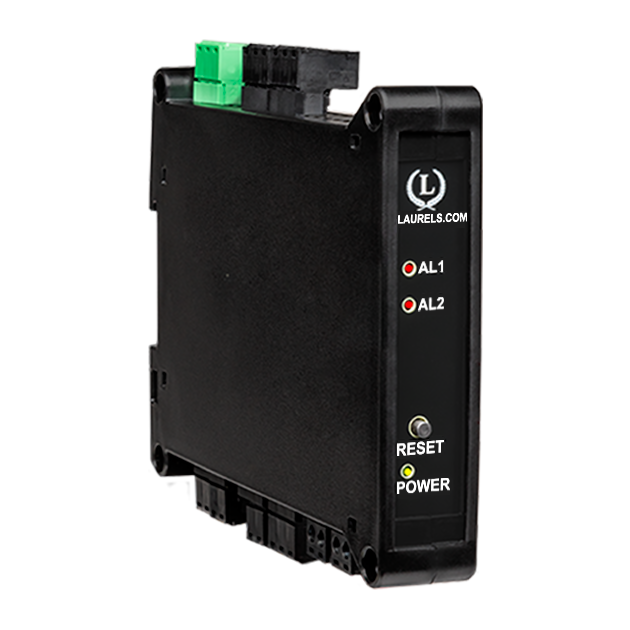
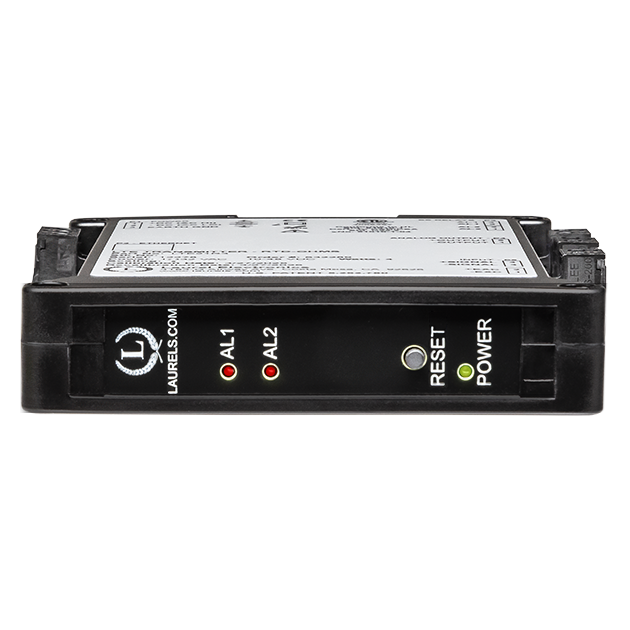
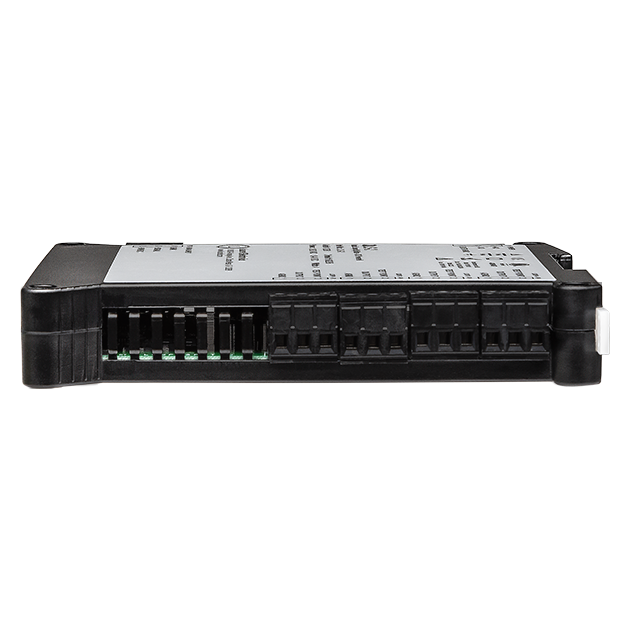
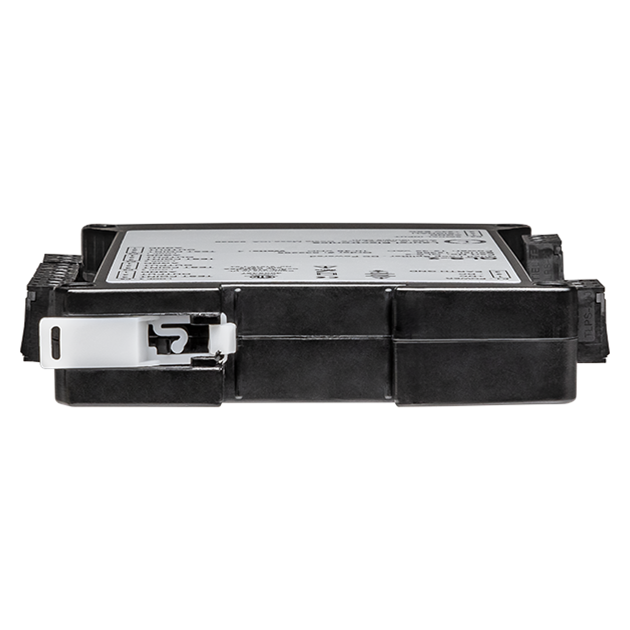
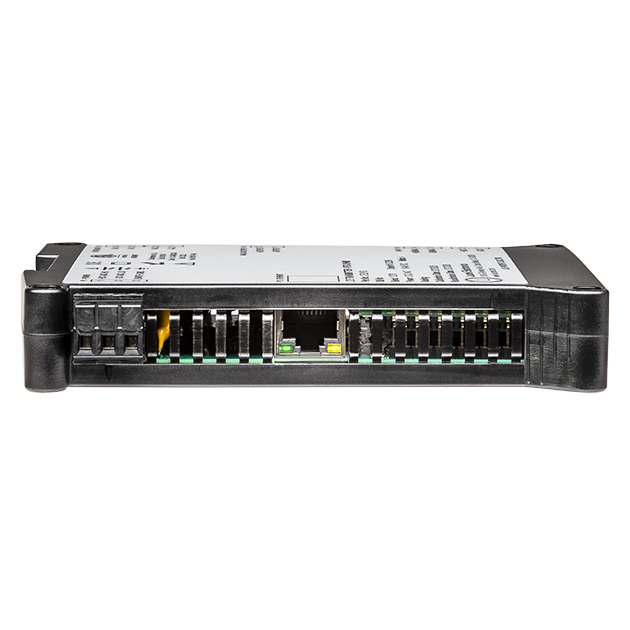
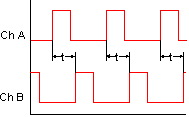
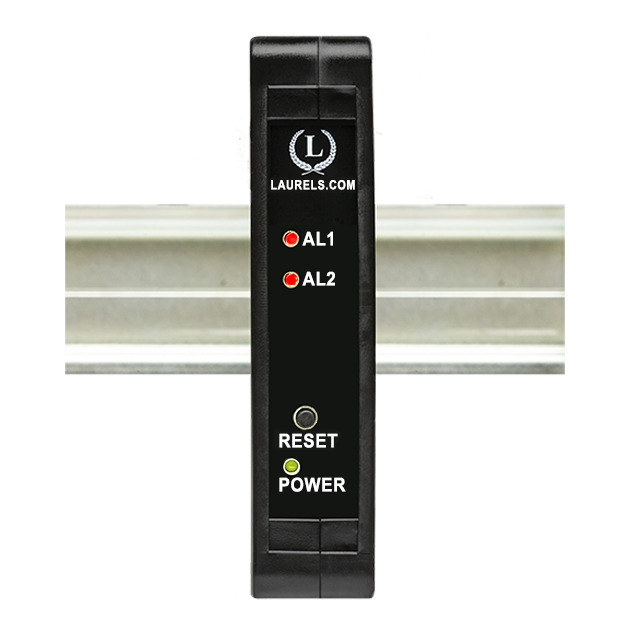
The Laureate 4-20 mA, 0-20 mA, 0-10V or -10V to +10V and ethernet output transmitter for time interval can transmit pulse width or time delay between individual pulses to a resolution of 0.2 µs for periodic events. It can also transmit average pulse width or average time delay between multiple pulses.
Time interval is measured between inputs on channels A and B. Timing starts when a pulse is applied to Channel A (selectable positive or negative edge), and ends when a pulse is applied to Channel B (selectable positive or negative edge). In case of a single pulsed signal, the A and B inputs can be tied together. A positive or negative slope may be selected to start timing, and the opposite slope must be selected to stop timing. Timing is achieved by counting 5.5 MHz clock pulses. Multiple integral time intervals are averaged over a gate time which is selectable from 10 ms to 199.99 s and also controls the maximum output rate.
The dual-channel signal conditioner used for pulse detection accepts inputs from proximity switches with PNP or NPN output, TTL or CMOS logic, magnetic pickups, contact closures, and other signals from 12 mV to 250 Vac. Jumper selections provide optimum operation for different sensor types and noise conditions. A built-in 5V, 10V or 24V dc excitation supply can power proximity switches and other sensors, and eliminate the need for an external power supply.
Exceptional Accuracy and Stability. Laureate transmitters determine frequency by taking the inverse of period as measured with a calibrated quartz crystal time base. This results in extremely accurate and stable 6-digit internal readings (±999,999 counts), which are then processed in software. The analog output is generated by an ultra-linear 16-bit (65,536 step) digital-to-analog converter (DAC) for 0.02% output accuracy. The update rate of the transmitter output is a programmed gate time + 30 ms + 0-2 signal periods. For a 60 Hz signal, the update rate would be 20 per second. Such fast update rates are ideal for alarm and control.
The update rate of the transmitter output is a programmed gate time + 30 ms + 0-2 signal periods. For a 60 Hz signal, the update rate would be 20 per second. Such fast update rates are ideal for alarm and control.
All signal conditioner board ranges are factory-calibrated, with calibration factors for each range securely stored in an onboard EEPROM. These factors can be scaled via software to accommodate external shunts, enabling field replacement of signal conditioner boards without necessitating recalibration of the associated transmitter. For optimal accuracy, factory recalibration is recommended annually. All Laurel Electronics instruments undergo factory calibration using the industry-leading Fluke calibrators, which are recalibrated yearly and certified traceable to national standards, ensuring the highest level of precision and reliability.
Easy USB-C Programming: Configure Laureate transmitters through the front-panel USB-C port with Laurel’s free Instrument Setup Software for Windows. Configurations can be saved to the transmitter, a PC, a file server, or a USB thumb drive. Laurel’s free Instrument Setup Software can also be used for light-duty data collection.
Peak and valley values are automatically captured. These may be displayed via Laurel's free Instrument Setup Software, which runs on a PC under MS Windows or can be transmitted as serial data.
Two control inputs (CMOS/TTL levels, logic 0 = tied to digital ground, logic 1 = open) or dry contacts that can be set to control / activate 14 transmitter commands.
An (isolated) 5, 10, 12, or 24 Vdc excitation output is standard to power transducers or two-wire transmitters. Ratiometric operation, which automatically compensates for changes in the applied excitation, is jumper selectable for applications, such as bridges, where the signal to be measured is proportional to the excitation level.

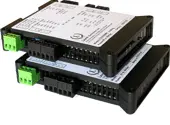
LTE series DIN rail transmitters & signal conditioners can be interfaced to a wide range of sensors and transducers using one of seven available plug-in signal conditioner boards. The transmitters duplicate the high performance (high accuracy, high read rate) and extensive programmable features of Laureate 1/8 DIN digital panel meters, counters and timers. They utilize the same signal conditioners boards, much of the same firmware, and Laurel's free Windows-based Instrument Setup Software. They come in a compact DIN rail mount package with detachable screw-clamp connectors for easy wiring.
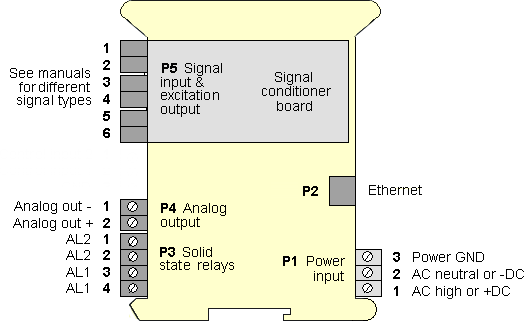
The LTE series Transmitters accessible from this page include a 4-20 mA, 0-20 mA, 0-10V, or -10V to +10V analog output (isolated, user selectable), an ethernet serial data interface (isolated, user selectable), and dual 120 mA solid state AC/DC relays (isolated). An (isolated) 5, 10, 12, or 24 Vdc transducer excitation output is included with all models other than those with a temperature or AC RMS signal conditioner.
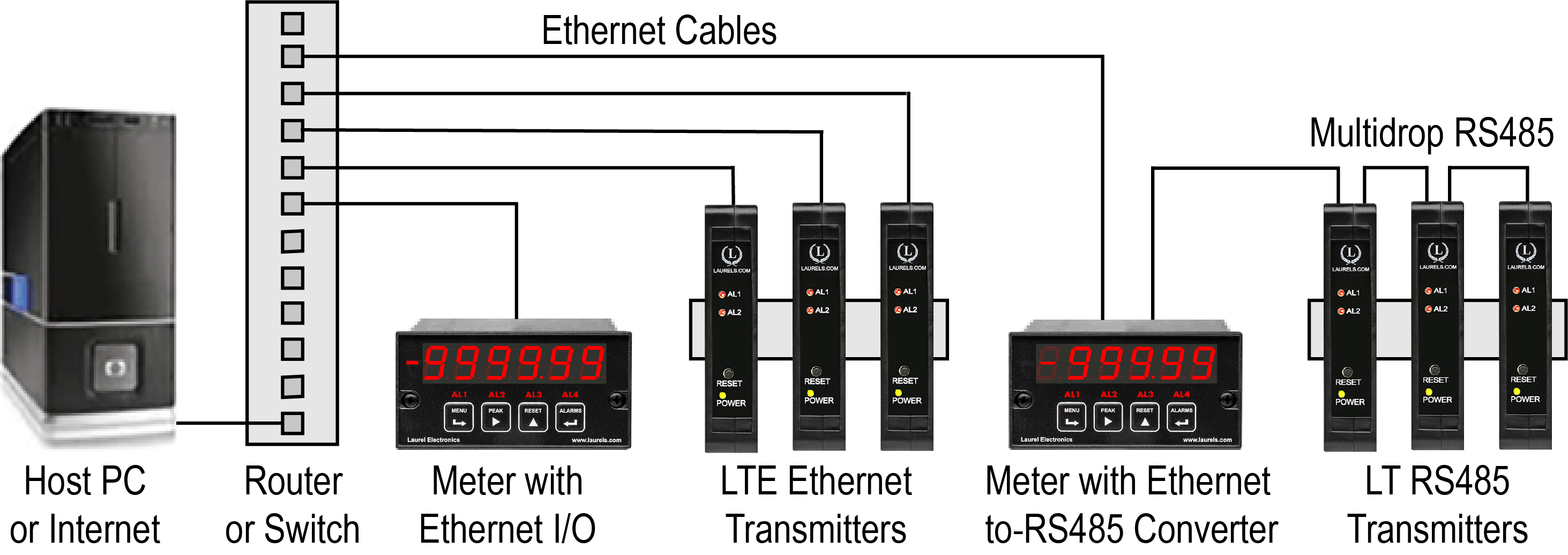
Laurel LTE series Ethernet transmitters can connect directly to a LAN via an Ethernet cable. Up to 30 Laureate LT Transmitters and/or Digital Panel Meters can be configured for RS485 and daisy-chained to an LT Transmitter for seamless LAN integration. Setup for both configurations is streamlined using Laurel’s free Instrument Setup Software, which simplifies node discovery and transmitter configuration.
Laureate Transmitters can be equipped with Laurel communication boards to support various interfaces and protocols. These include serial interfaces with ASCII or Modbus RTU protocols, and Ethernet interfaces with web access, ASCII, or Modbus TCP/IP protocols, ensuring versatile connectivity for your commercial applications.
| LTE Transmitter Signal Input & Function | Model Series | Analog Output | Ethernet I/O | Dual Relays | |
|---|---|---|---|---|---|
| 1 | DC Input Voltage and Current | LTE-DC |  |
|
|
| 2 | AC RMS Voltage or Current | LTE-RMS | |
|
|
| 3 | Process Voltage or Current | LTE-P | |
|
|
| 4 | Strain Gauge or Potentiometer Follower | LTE-SG | |
|
|
| 5 | Weighing Applications | LTE-WA | |
|
|
| 6 | Load Cell & Microvolt Signals | LTE-WM | |
|
|
| 7 | Thermocouple (Types J, K, T, E, N, R, S) | LTE-TC | |
|
|
| 8 | RTD Temperature | LTE-RTD | |
|
|
| 9 | Resistance in Ohms | LTE-R | |
|
|
| 10 | Frequency, Rate, Speed | LTE-FR | |
|
|
| 11 | Pulse Input Totalizer | LTE-FR | |
|
|
| 12 | Process Signal Totalizer | LTE-VF | |
|
|
| 13 | Batch Controller Analog Input | LTE-FR | |
|
|
| 14 | Batch Controller Pulse Input | LTE-FR | |
|
|
| 15 | Sum, Difference, Ratio, Product of 2 Inputs | LTE-FR | |
|
|
| 16 | On/Off Duty Cycle | LTE-FR | |
|
|
| 17 | Stopwatch Timing for Single Events | LTE-FR | |
|
|
| 18 | Average Time of Periodic Events | LTE-FR | |
|
|
| 19 | AC Phase Angle and Power Factor | LTE-FR | |
|
|
| 20 | Quadrature Position or Rate | LTE-QD | |
|
|
| Pulse Input | ||||
|---|---|---|---|---|
| Types | AC, pulses from NPN, PNP transistors, contact closures, magnetic | |||
| Signal Ground | pickups | |||
| Minimum Signal | Common ground for channels A & B. | |||
| Maximum Signal | Nine ranges from (-12 to +12 mV) to (+1.25 to +2.1V). | |||
| Maximum Frequency | 250 Vac | |||
| Contact Debounce | 1 MHz, 30 kHz, 250 Hz (selectable). | |||
| Time Base Accuracy | 0, 3, 50 ms (selectable). | |||
| Span Tempco | Quartz crystal calibrated to ±2 ppm. | |||
| Long-term Drift | ±1 ppm/°C (typ), ±5 ppm/year | |||
| Recalibration: All ranges are calibrated at the factory. Recalibration is recommended every 12 months. | ||||
| Time Interval Mode | ||||
| Timing Start | Channel A pulse, + or - edges | |||
| Timing Stop | Channel B pulse, + or - edges | |||
| Update Rate | Gate time + 30 ms + 0-2 time intervals | |||
| Gate Time | Selectable 10 ms to 199.99 s | |||
| Time to Zero Output | Selectable 10 ms to 199.99 s | |||
| Resolution | ||||
| 0 - 199.999 s | 1 ms | |||
| 0 - 99.9999 s | 100 µs | |||
| 0 - 9.99999 s | 10 µs | |||
| 0 - .999999 s | 1 µs | |||
| 0 - .099999 s | 0.2 µs (after averaging) | |||
| Analog Output (standard) | ||||
| Output Levels | 4-20 mA and 0-10 Vdc (selectable) | |||
| Compliance, 4-20 mA | 10V (0-500Ω load) | |||
| Compliance, 0-10V | 2 mA (5 kΩ load) | |||
| Output Resolution | 16 bits (65,536 steps) | |||
| Output Accuracy | ±0.02% of output span | |||
| Output Update Rate | Programmed gate time + 30 ms + 0-2 signal periods | |||
| Output Isolation | 250V rms working, 2.3 kV rms per 1 minute test | |||
| Ethernet Data I/O (standard) | ||||
| Type | 10/100 Base-T Ethernet per IEEE 802.3 | |||
| Data Rates | 300, 600, 1200, 2400, 4800, 9600, 19200 baud | |||
| Output Isolation | 250V rms working, 2.3 kV rms per 1 min test | |||
| Serial Protocol | Modbus TCP | |||
| Modbus Compliance | Modbus over Serial Line Specification V1.0 (2002) | |||
| Digital Addresses | 247 | |||
| Dual Relay Output (standard) | ||||
| Relay Type | Two solid state relays, SPST, normally open, Form A | |||
| Load Rating | 120 mA at 140 Vac or 180 Vdc | |||
| Excitation Output (standard) | ||||
| 5 Vdc | 5 Vdc ± 5%, 100 mA (jumper selectable) | |||
| 10 Vdc | 10 Vdc ± 5%, 120 mA (jumper selectable) | |||
| 12 Vdc | 12 Vdc ± 5%, 100 mA (jumper selectable) | |||
| 24 Vdc | 24 Vdc ± 5%, 50 mA (jumper selectable) | |||
| Output Isolation | 50 Vdc from signal ground | |||
| Power Input | ||||
| Standard Power | 85-264 Vac or 90-300 Vdc | |||
| Low Power Option | 10-48 Vdc or 12-32 Vac | |||
| Power Frequency | DC or 47-63 Hz | |||
| Power Isolation | 250V rms working, 2.3 kV rms per 1 min test | |||
| Power Consumption | 2.5W typical at 24V, 4.0W with max excitation output | |||
| Environmental | ||||
| Operating Temperature | -40°C to 70°C (-40°F to 158°F) | |||
| Storage Temperature | -40°C to 85°C (-40°F to 185°F) | |||
| Relative Humidity | 95% at 40°C, non-condensing | |||
| Cooling Required | Mount transmitters with ventilation holes at top and bottom. Leave 6 mm (1/4") between transmitters, or force air with a fan. | |||
| Mechanical | ||||
| Enclosure | Rugged black polycarbonate housing material | |||
| Mounting | 35 mm rail per DIN EN 50022 | |||
| Dimensions | 129 x 104 x 22.5 mm case | |||
| Connectors | Detachable screw clamp connectors meet VDE / IEC / UL / CSA standards. RJ45 jack for Ethernet | |||
| Tightening Torque | Screw terminal connectors: 5 lb-in (0.56 Nm) | |||
| Weight | Complete transmitter: 183 g (6.5 oz) | |||
| Replacement Case Screws | ||||
| Size | 6 | |||
| Thread Pitch | 6-19 | |||
| Length | 1/2" | |||
| Head Style | Pan Head | |||
| Drive Style | Phillips | |||
| Head Diameter | 0.256-0.270 | |||
| Head Height | 0.087-0.097 | |||
| Full/Partial Thread | Full | |||
| Drive Size | 2 | |||
| Material | Steel | |||
| Finished | Black Oxide | |||
| General | ||||
| Front-Panel Port | USB-C (programming & data) | |||
| Programming | Utilize Laurel's free Instrument Setup Software, which runs on a PC under MS Windows | |||
| Security | Lockout options available using Laurel's free Instrument Setup Software | |||
| Warranty | 3 years parts & labor | |||
| Recalibration: All ranges are calibrated at the factory. Recalibration is recommended every 12 months. | ||||
|
|
| 1/8 DIN Digital Panel Meters | DIN Rail Transmitters |
Free Downloadable Windows-based Instrument Setup (IS) software (Data Interface Board Required) for use with our programmable Digital Panel Meters, Scale Meters, Counters, Timers, Remote Displays, and Transmitters, are an easy method to set up Laureate 1/8 DIN digital panel meters, counters, timers, remote displays, and DIN-rail transmitters, as explained in the Instrument Setup Software Manual. Laureate 1/8 DIN instruments can also be set up from the front panel, as explained in their respective Owners Manuals. Instrument Setup software is of benefit whether or not the PC is connected to the instrument.
Set User Account Control (UAC) of MS Windows to "Never notifiy me" so that Instrument Setup Software can create directories. The UAC change screen can be reached as follows:
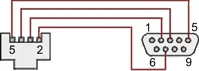
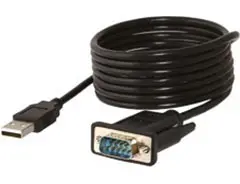
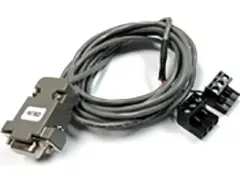
RJ11-to-DB9 cable with rear view of DB9 connector to PC
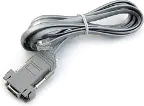
RS232 cable, meter to PC, P/N CBL01
Laureate 1/8 DIN Laureate instruments must be equipped with a serial communications board and be connected to the computer via a serial communications cable. The connection can be via RS232, RS485, USB or Ethernet. Following setup, the serial communications board may be removed from the instrument if desired. The wiring of the RS232 cable is illustrated above with end views of the two connectors.
Laureate LT Series transmitters come standard with a 3-wire serial interface, which can be jumpered for RS232 or RS485.
Laureate LTE Series transmitters come standard with an Ethernet interface.
Click on any of the reduced screens below for a full-size screen view, then click on the Back button of your browser to return to this page. The screens examples below are for a fully-loaded Series 2 Digital Panel Meter (DPM), which is connected to the PC via RS232. If the meter is a Series 1 meter (pre-2007), this is sensed by the software, and somewhat different screens are brought up. Please see Series 1 setup screens.


From the Main Menu, click on Readings if your PC is connected to the meter. A pull-down menu then offers three choices: List, Plot and Graph.


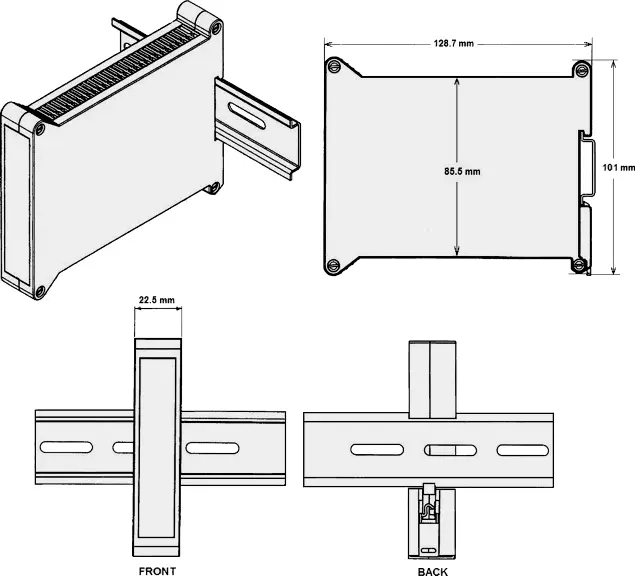
Dimensioned CAD assembly drawings in EPRT, STEP, x_t, .dwg, pdf file formats: Laureate-transmitter-case.zip (zipping prevents browser from opening CAD files as text files).
| Time Interval Mode for Time Delay | |
|---|---|
|
For periodic pulses applied to A and B channels, time delays can be measured down to 0.2 µs resolution from the rising or falling edge of A to the rising or falling edge of B (selectable). |
| Time Interval Mode for Pulse Width | |
 |
The width of periodic pulses (t1 or t2) can be measured by tying the A and B channels together. As for time delay, readings are averaged over a user-selectable gate time. |
| Timing Process Dynamics with two Meters or Transmitters | |
 |
The start and stop pulses used for timing can be generated by the dual relay board in a Laureate panel meter, counter or transmitter. For instance, the start and stop pulse edges can be created as temperature passes two alarm setpoints, or temperature cycles in a hysteresis control mode. |
| Replacing an Oscilloscope with a Laureate Time Interval Meter or Transmitter | |
 |
An oscilloscope is great for viewing and timing pulses in a lab. However, in fixed installations where digital timing accuracy and control outputs are required, a low-cost Laureate time interval meter or transmitter will be the instrument of choice. Resolution to 0.2 µs is feasible. |
| Instrumenting a Pulsed Laser System | |
 Some of the many possibilities in instrumenting a pulsed laser system with Laureate dual-channel counters and transmitters: elapsed time, number of pulses, pulse width, pulse separation, duty cycle, and pulse rep rate. |
|
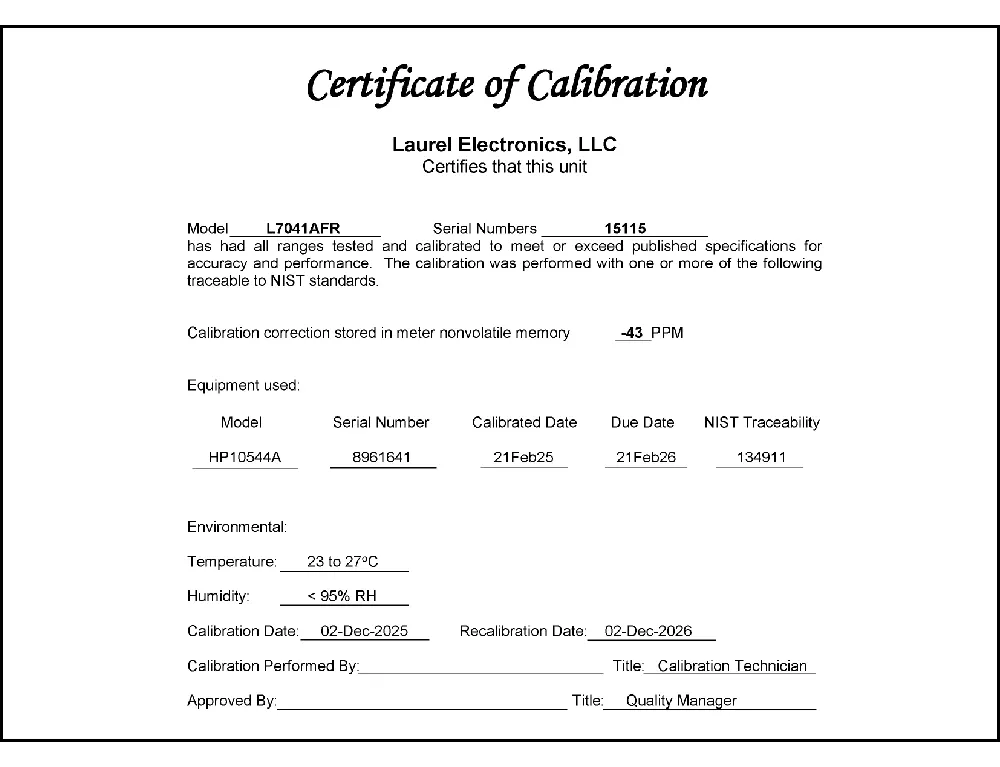
CAL-Digital
Certificate of Calibration
$65.00DLS-XLOG2
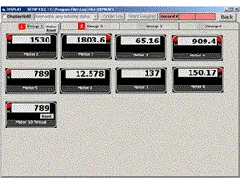
XLog2 Data logging Software
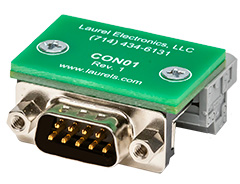
$495.00CON01
CON01 Connector
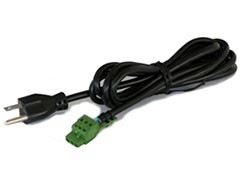
$75.00CBL6
6-foot Power Cable
$41.00CBL12
12-foot Power Cable
$47.00CBL02
USB-to-RS232 Adapter Cable
$47.00CBL04
RS232 Cable for LT Transmitters
$47.00Some processes don't care how fast something is moving — they care how long a signal stays high, or how much time passes between one pulse and the next. This LTE DIN Rail Transmitter measures exactly that: pulse width or time delay between individual pulses arriving on its A and B input channels, down to a resolution of 0.2 µs, and converts that timing data into an isolated 4-20 mA analog output plus Ethernet-based digital data.
The LTE DIN Rail Digital Transmitter is a device used to convert the timing of periodic events into digital data that can be processed by industrial systems. Many processes depend on knowing how long an event lasts or how much time separates repeating events, and this transmitter provides a reliable interface that translates that timing into actionable information, communicating over Ethernet.
The transmitter can be configured to measure either the width of a single pulse or the time delay between separate pulses on its A and B channels, at a resolution of 0.2 µs. Rather than reporting every single measurement, it can also be set to transmit the average pulse width or average time delay calculated across multiple pulses, which smooths out event-to-event variation when what matters is the typical timing rather than any one occurrence.
Time interval is measured between inputs arriving on channels A and B, rather than from a single input against an internal clock reference alone. This two-channel arrangement lets the transmitter time the gap between two genuinely separate events — for example, a part leaving one sensor and arriving at the next — rather than being limited to timing a single repeating pulse train.
The transmitter mounts on a standard DIN rail, the same mounting standard used across most industrial control panels, so it integrates alongside relays, breakers, and other panel-mounted equipment without custom bracketry. This standardization keeps installation and panel layout consistent with the rest of a facility's control equipment.
Alongside its isolated 4-20 mA analog output, the transmitter communicates over Ethernet, allowing timing data to be read directly onto a plant network rather than requiring a separate serial-to-Ethernet gateway. The analog output lets the same reading feed legacy analog-only equipment — a PLC analog input, chart recorder, or panel meter — at the same time the digital value is available on the network.
The LTE DIN Rail Digital Transmitter for time of periodic events gives a panel builder a precise way to convert pulse-width and pulse-interval timing from two independent input channels into an isolated analog signal and Ethernet-based digital data — with 0.2 µs resolution, the option to report individual or averaged readings, and documented use in applications from machine cycle timing to utility process monitoring where knowing exactly how long something took, not just how often it happens, is the whole point.
Pulse width measures how long a single input signal stays in its active state, while time delay measures the elapsed time between a pulse arriving on one channel and a pulse arriving on the other; which mode to use depends on whether the application cares about the duration of one event or the gap between two separate events.
A single channel can only time a pulse against itself, such as its own on-time; using two independent channels lets the transmitter time the interval between two physically separate events — one triggering A and a later one triggering B — which single-channel timing can't capture.
Individual readings are useful when each specific event's timing matters on its own, such as checking whether one particular cycle ran long; averaging across multiple pulses is better suited to noisy or naturally variable signals where the underlying, typical timing is what a control loop or trend chart actually needs.
It's the smallest timing increment the transmitter can distinguish between two measurements; for applications timing very short events or requiring fine discrimination between near-identical intervals, this resolution determines how precisely two close readings can be told apart.
No — timing accuracy comes from the transmitter's internal signal conditioning and timing circuitry; Ethernet only changes how the already-measured reading is transmitted digitally onto the network, separate from the isolated 4-20 mA analog output.
No — the transmitter connects directly to a LAN via its own RJ45 jack, without requiring a separate serial-to-Ethernet gateway in between.
Yes — the isolated 4-20 mA analog output and the Ethernet-based digital data are both available from the same measurement, so one can feed a PLC analog input or chart recorder while the other is polled over the network.
They accept periodic pulse-type digital inputs, such as those from proximity sensors, photoeyes, or contact closures marking the start and end of an event — the same general category of signal used to trigger a timing measurement in most panel-level automation.
Yes — it mounts on standard DIN rail, the same mounting format used for relays, terminal blocks, and other panel components, so it integrates into an existing panel layout without custom mounting hardware.
A rate or frequency transmitter reports how often events occur per unit of time; this transmitter instead reports the timing characteristics of the events themselves — how long a pulse lasts or how much time separates two pulses — which is a different measurement even when both are derived from a similar pulse train.
Switching from individual pulse measurement to averaged pulse width or time delay across multiple pulses is the standard way to smooth out normal event-to-event variation; if readings are still inconsistent after averaging, sensor mounting and signal quality on the triggering channel are the next things to check.
Since time delay is measured specifically between channel A and channel B, confirming which physical sensor or trigger is wired to each channel is the standard first check when the reported interval doesn't match what's physically happening on the line.
A mismatch between the reported pulse width and the actual event usually points to the triggering sensor's signal not cleanly matching the true start and end of the event — for example, sensor bounce or a threshold set too sensitively — so checking the sensor's signal quality and trigger threshold is the standard first step.
Confirming the transmitter's IP configuration matches what the network expects, and that the physical Ethernet cable and switch port are functioning, are the standard first checks before suspecting a transmitter fault.
Both outputs are derived from the same underlying measurement, so a mismatch usually points to a scaling or range configuration difference between how the analog output and the digital reading were each set up, rather than two separate measurements being taken.
Yes — averaging across multiple pulses is designed to smooth the reading over time rather than update on every single event; if faster response to each individual event is actually what's needed, switching to individual pulse measurement rather than averaging is the appropriate setting.
Yes — the A and B channels are independent digital inputs, so different sensor types can trigger each channel as long as both provide a signal the transmitter can read as a clean pulse; verifying each sensor's output type is compatible with the transmitter's input is the standard first step during setup.
Network congestion or too many devices polling the same transmitter simultaneously can cause intermittent timeouts; checking polling frequency from all connected clients and network traffic load is a common troubleshooting step.