New Front Panel USB-C Port Coming Soon!
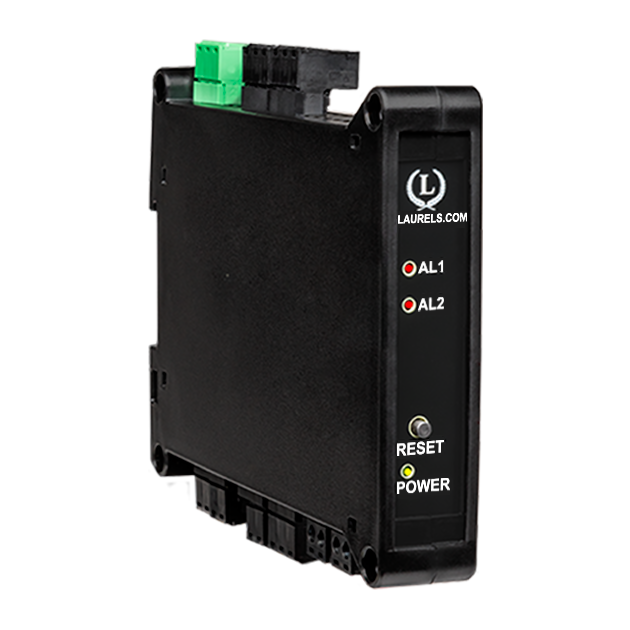
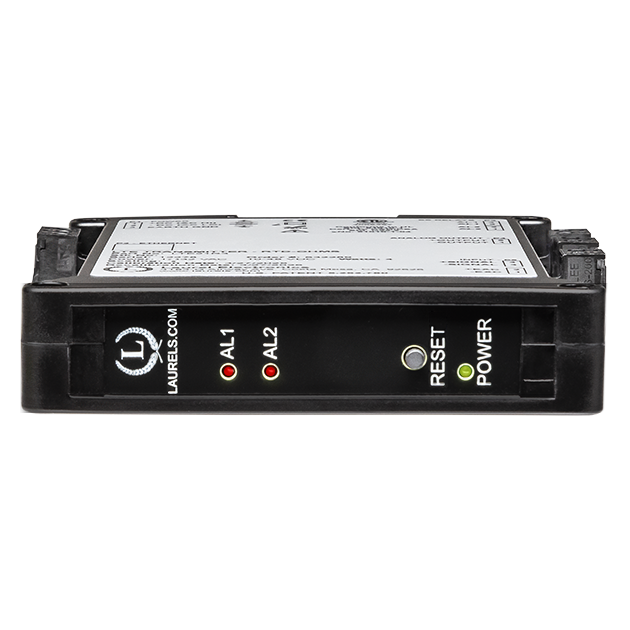
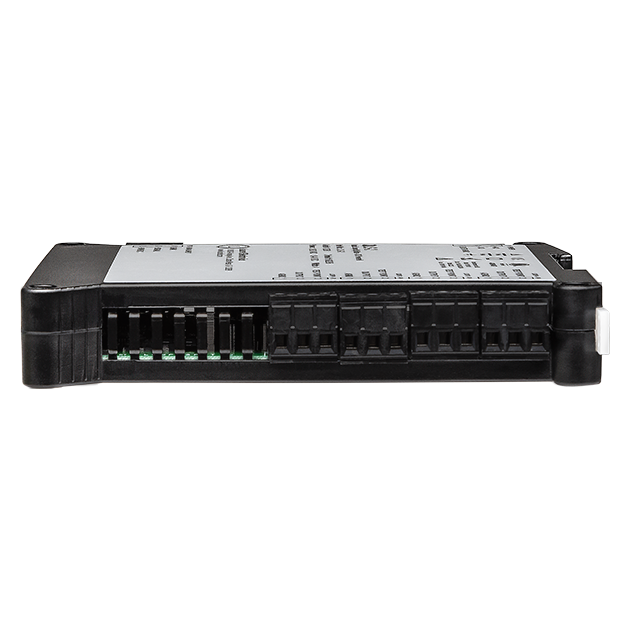
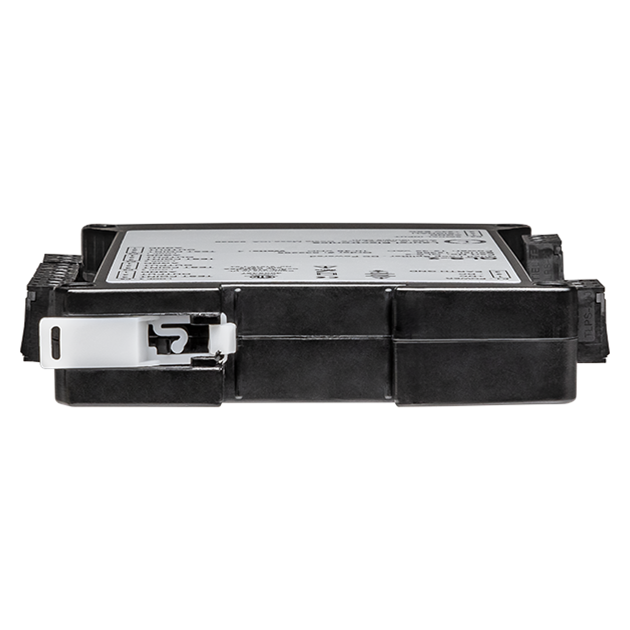
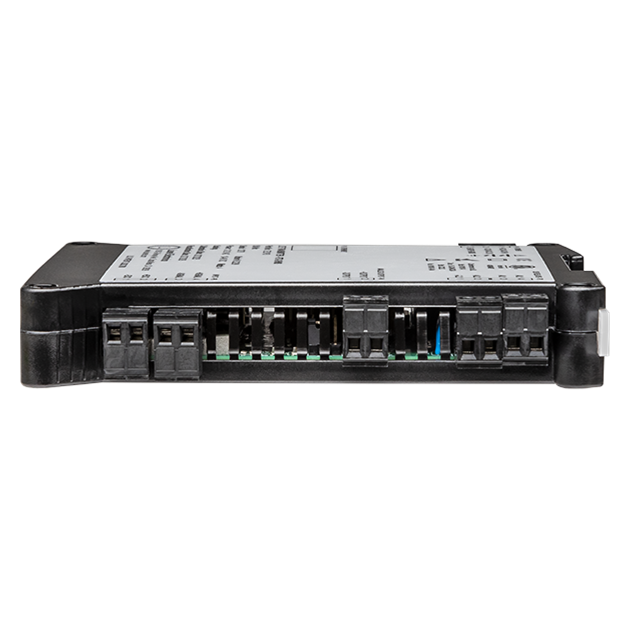
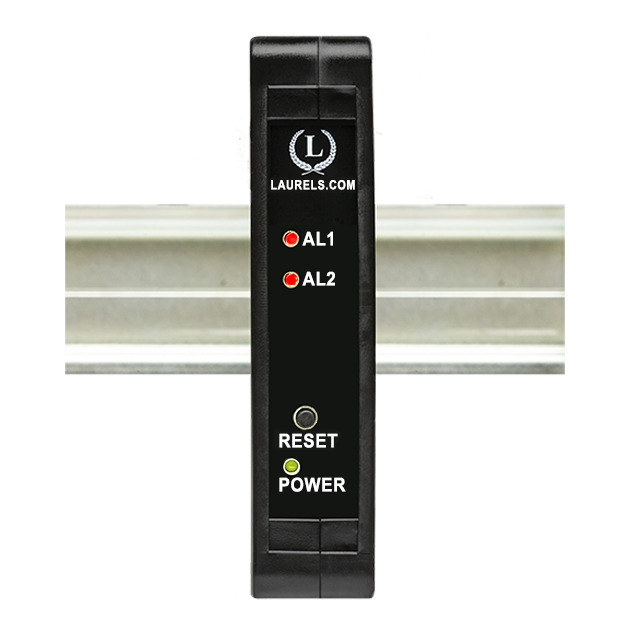
The Laureate 4-20 mA, 0-20 mA, 0-10V or -10V to +10V and RS232/RS485 output transmitter for scale weighing applications offers the same high performance, signal conditioning, and programmable features as Laureate digital panel meters, counters, and timers. It provides six voltage input ranges and four current input ranges, all factory calibrated and jumper selectable. This compact, inexpensive, and highly accurate transmitter features special firmware for weighing applications. It is available with the Laureate load cell or DC signal conditioner board. If you do not need the special weighing firmware, consider using the Laureate load cell transmitter or Laureate process transmitter.

The DC signal conditioner board can used in lieu of the load cell signal conditioner board, be set to ratiometric operation, and be used with the transmitter's 5 Vdc or 10 Vdc excitation. It's most sensitive full-scale range is ±200 mV with 10 µV resolution, while the load cell signal conditioner board offers most sensitive ranges of ±20 mV and ±50 mV, both with 1 µV resolution. Transmitters with both boards offer an accuracy of 0.01% of full scale ± 2 counts.
Easy scale calibration is achieved using a simple two-point calibration method. First, the desired LO IN reading is set to 0, and the desired HI IN reading is set to a desired value. With no weight on the scale, a button is pushed for LO IN. With a known weight on the scale, that button is pushed again for HI IN. The transmitter then automatically computes scale and offset for readout up to five digits in weight units.
Scale and offset can be provided by either of two user-selectable methods:
A built-in, (isolated), 10V, 120 mA excitation supply can power up to four 350-ohm load cells in parallel. Load cell connection can be via 4 or 6 wires. With 4-wire load connection, the transmitter operates in a ratiometric mode to eliminate errors due to power supply variations. With 6-wire load connection, it also compensates for lead resistance, allowing long cable runs.
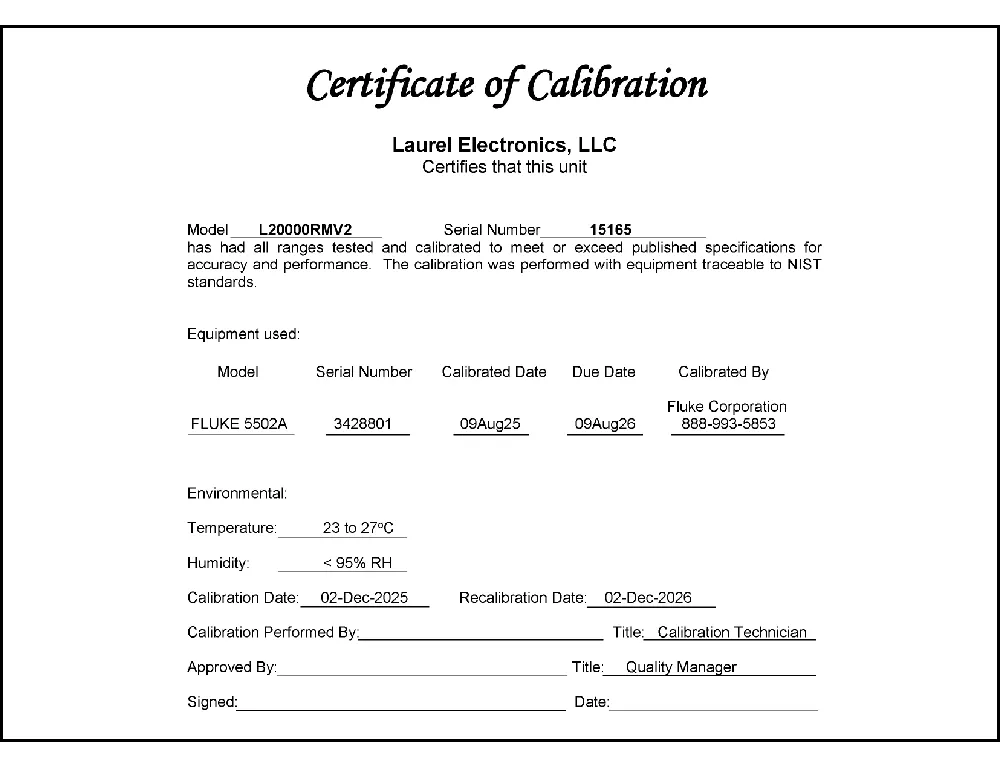
All signal conditioner board ranges are factory-calibrated, with calibration factors for each range securely stored in an onboard EEPROM. These factors can be scaled via software to accommodate external shunts, enabling field replacement of signal conditioner boards without necessitating recalibration of the associated transmitter. For optimal accuracy, factory recalibration is recommended annually. All Laurel Electronics instruments undergo factory calibration using the industry-leading Fluke calibrators, which are recalibrated yearly and certified traceable to national standards, ensuring the highest level of precision and reliability.
The optional extended Laureate computer board enhances Laureate transmitter by displaying rates derived from successive readings and enabling highly accurate custom curve linearization. For example, it can calculate liquid volume or flow rate in a horizontal cylindrical tank using levels from a 4-20 mA transmitter. Setup is straightforward: users input up to 180 data points into a spreadsheet or text file, and the computer calculates spline-fit segments, which are then downloaded to the transmitter for precise operation.
Easy USB-C Programming: Configure Laureate transmitters through the front-panel USB-C port with Laurel’s free Instrument Setup Software for Windows. Configurations can be saved to the transmitter, a PC, a file server, or a USB thumb drive. Laurel’s free Instrument Setup Software can also be used for light-duty data collection.
High read rate of up to 50 or 60 conversions per second, the Laureate™ LT Series transmitter uses Concurrent Slope (US Pat. 5,262,780) analog-to-digital conversion to integrate signals over a full power line cycle (50 Hz or 60 Hz). This read rate enables peak and valley capture, real-time computer interfacing, and control applications. Peak and valley values are automatically captured and can be viewed using Laurel’s free Instrument Setup Software (compatible with Windows PCs) or transmitted as serial data.
Two tare functions: auto-tare and manual tare. In auto-tare, an input line is grounded by an external pushbutton. This causes the current weight, which is normally the empty weight of the container to be stored in memory as an offset. In manual tare, the tare value can be entered manually via a control input pushbutton or using Laurel's free Instrument Setup Software.
Peak and valley values are automatically captured. These may be displayed via Laurel's free Instrument Setup Software, which runs on a PC under MS Windows or can be transmitted as serial data.
Two control inputs (CMOS/TTL levels, logic 0 = tied to digital ground, logic 1 = open) or dry contacts that can be set to control / activate 14 transmitter commands.
An (isolated) 5, 10, 12, or 24 Vdc excitation output is standard to power transducers or two-wire transmitters. Ratiometric operation, which automatically compensates for changes in the applied excitation, is jumper selectable for applications, such as bridges, where the signal to be measured is proportional to the excitation level.

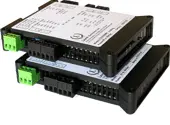
LT series DIN rail Transmitters & signal conditioners can be interfaced to a wide range of sensors and transducers using one of seven available plug-in signal conditioner boards. The transmitters duplicate the high performance (high accuracy and high read rate) and extensive programmable features of Laureate 1/8 DIN digital panel meters, counters, and timers. They utilize the same signal conditioners boards, much of the same firmware, and Laurel's free Windows-based Instrument Setup Software. They come in a compact DIN rail mount package with detachable screw-clamp connectors for easy wiring.
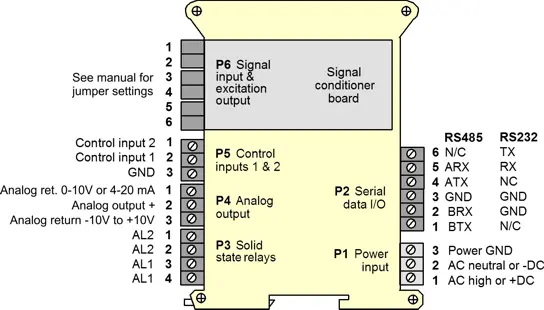
The LT series Transmitters feature isolated, user-selectable analog outputs (4-20 mA, 0-20 mA, 0-10V, or -10V to +10V), an RS232 or RS485 serial data interface, and dual 120 mA solid state AC/DC relays. Most models, except those with temperature or AC RMS signal conditioners, include an isolated 5, 10, 12, or 24 Vdc transducer excitation output.
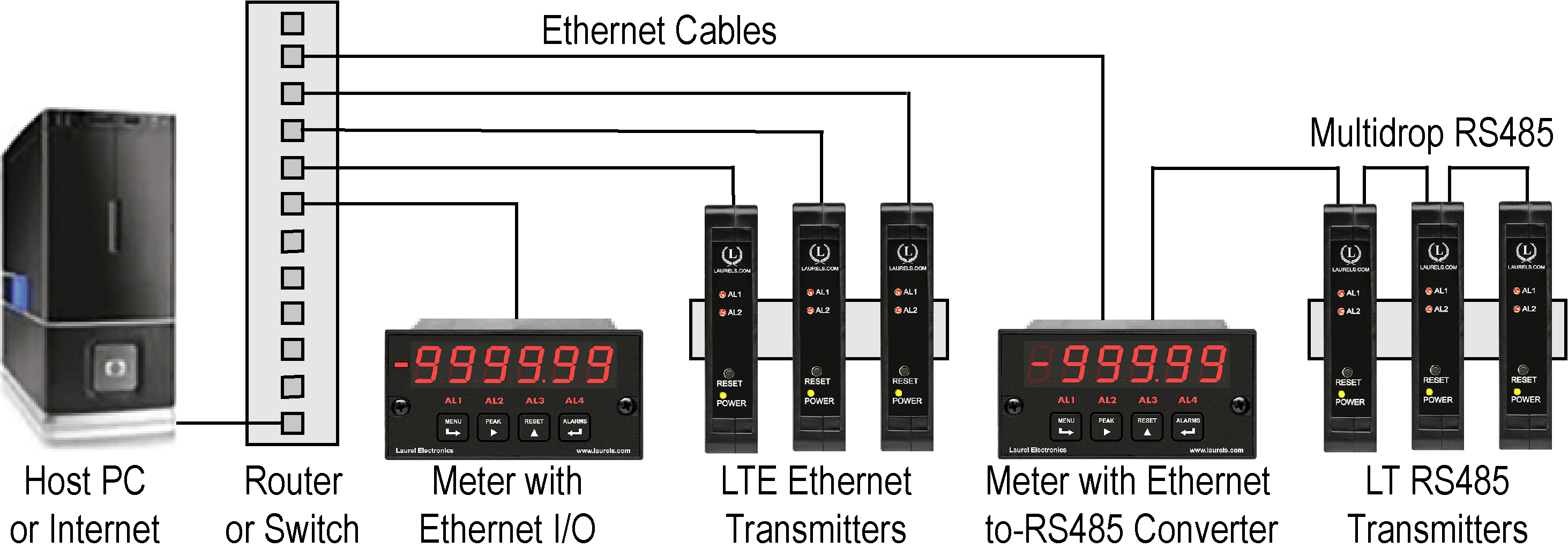
Up to 30 Laureate LT Transmitters and/or Digital Panel Meters can be configured for RS485 and daisy-chained to an LT Transmitter for seamless LAN integration. Alternatively, Laurel LTE series Ethernet transmitters can connect directly to a LAN via an Ethernet cable. Setup for both configurations is streamlined using Laurel’s free Instrument Setup Software, which simplifies node discovery and transmitter configuration.
Laureate Transmitters can be equipped with Laurel communication boards to support various interfaces and protocols. These include serial interfaces with ASCII or Modbus RTU protocols, and Ethernet interfaces with web access, ASCII, or Modbus TCP/IP protocols, ensuring versatile connectivity for your commercial applications.
| LT Transmitter Signal Input & Function | Model Series | Analog Output | RS232 & RS485 | Dual Relays | |
|---|---|---|---|---|---|
| 1 | DC Input Voltage and Current | LT-DC |  |
|
|
| 2 | AC RMS Voltage or Current | LT-RMS | |
|
|
| 3 | Process Voltage or Current | LT-P | |
|
|
| 4 | Weighing Applications | LT-WA | |
|
|
| 5 | Load Cell & Microvolt Signals | LT-WM | |
|
|
| 6 | Thermocouple (Types J, K, T, E, N, R, S) | LT-TC | |
|
|
| 7 | RTD Temperature | LT-RTD | |
|
|
| 8 | Resistance in Ohms | LT-R | |
|
|
| 9 | Frequency, Rate, Speed | LT-FR | |
|
|
| 10 | Pulse Input Totalizer | LT-FR | |
|
|
| 11 | Process Signal Totalizer | LT-VF | |
|
|
| 12 | Sum, Difference, Ratio, Product of 2 Inputs | LT-FR | |
|
|
| 13 | Batch Controller Pulse Input | LT-FR | |
|
|
| 14 | Batch Controller Analog Input | LT-FR | |
|
|
| 15 | On/Off Duty Cycle | LT-FR | |
|
|
| 16 | Stopwatch Timing for Single Events | LT-FR | |
|
|
| 17 | Average Time of Periodic Events | LT-FR | |
|
|
| 18 | AC Phase Angle and Power Factor | LT-FR | |
|
|
| 19 | Quadrature Position or Rate | LT-QD | |
|
|
| Full-Scale Input | Input Impedance | Zero Adjust | Span Adjust | Error at 25°C |
|---|---|---|---|---|
| ± 200.00 mV | 1 GΩ | |||
| ± 2.0000 V | 1 GΩ | -99,999 | 0 to | 0.01% FS |
| ± 20.000 V | 10 MΩ | to +99,999 | ±99,999 | ± 2 counts |
| ± 20.000 mA | 10 Ω | |||
| Recalibration: All ranges are calibrated at the factory. Recalibration is recommended every 12 months. | ||||
| Accuracy | ||||
|---|---|---|---|---|
| Error at 25°C | 0.01% FS ± 2 counts | |||
| Span tempco | 0.0015% of reading/°C | |||
| Zero tempco | 0.1 µV/°C (use auto-zero when temperature changes) | |||
| Calibration Method | 2 points using zero weight and known weight | |||
| Noise Rejection | ||||
| CMR, DC to 60 Hz | 130 dB | |||
| NMR at 50/60 Hz | 90 dB with min filtering | |||
| A-to-D Conversion | ||||
| Technique | Concurrent Slope (Pat 5,262,780) | |||
| A-to-D rate | 60/s at 60 Hz, 50/s at 50 Hz | |||
| Output update | 56/s at 60 Hz, 47/s at 50 Hz | |||
| Display update | 3.5/s at 60 Hz, 3/s at 50 Hz | |||
| Power Supply Boards (one required) | ||||
| Voltage, standard | 85-264 Vac or 90-300 Vdc | |||
| Voltage, optional | 12-32 Vac or 10-48 Vdc | |||
| Frequency | DC or 47-63 Hz | |||
| Power consumption (typ. with four 350Ω load cells at 10V) | 2.4W @ 120 Vac, 2.7W @ 240 Vac, 2.5W @ 10 Vdc, 2.6W @ 20 Vdc, 2.75W @ 30 Vdc, 3.0W @ 40 Vdc, 3.35W @ 48 Vdc | |||
| Excitation Output (standard) | ||||
| 5 Vdc | 5 Vdc ± 5%, 100 mA (jumper selectable) | |||
| 10 Vdc | 10 Vdc ± 5%, 120 mA (jumper selectable) | |||
| 12 Vdc | 12 Vdc ± 5%, 100 mA (jumper selectable) | |||
| 24 Vdc | 24 Vdc ± 5%, 50 mA (jumper selectable) | |||
| Output Isolation | 50 Vdc from signal ground | |||
| Ratiometric operation | Automatically compensates for changes in excitation level. | |||
| Analog Output Board (one optional) | ||||
| Output levels | 4-20 mA, 0-20 mA, 0-10V | |||
| Current compliance | 2 mA at 10V ( > 5 kΩ load) | |||
| Voltage compliance | 12V at 20 mA (< 600 Ω load) | |||
| Scaling | Zero and full scale adjustable from -99999 to +99999 | |||
| Resolution | 16 bits (0.0015% of full scale) | |||
| Isolation | 250V rms working, 2.3 kV rms per 1 min test | |||
| Relay Output Boards (one optional) | ||||
| Dual magnetic relays | 2 Form C, 8A max, 440Vac or 125Vdc max, 2500VA or 300W | |||
| Quad magnetic relays | 4 Form A (NO), 8A max, 440Vac or 125Vdc max, 2500VA or 300W | |||
| Dual solid state relays | 2 Form A (NO), AC or DC, 0V - 400V, 120Ma, 35Ohms (max at On-State) | |||
| Quad solid state relays | 4 Form A (NO), AC or DC, 0V - 400V, 120Ma, 35Ohms (max at On-State) | |||
| Relay commons | Isolated commons for dual relays or each pair of quad relays | |||
| Relay isolation | 250V rms working, 2.3 kV rms per 1 minute test | |||
| Relay latching modes | Latching or non-latching | |||
| Relay active modes | Active on or off, active high or low | |||
| Hysteresis modes | QA passband mode, split hysteresis, span hysteresis | |||
| Communication Boards (one optional) | ||||
| Board selections | RS232, RS485 with dual RJ11 connectors, RS485 with dual RJ45 connectors, USB, USB-to-RS485 gateway, WiFi with built-in antenna plus USB & RS485, WiFi with external antenna plus USB & RS485 | |||
| Protocols | Modbus RTU, Modbus ASCII, Modbus TCP (Ethernet), Laurel ASCII | |||
| Digital addresses | 247 (Modbus), 31 (Laurel ASCII), | |||
| Isolation | 250V rms working, 2.3 kV rms per 1 min test | |||
| Environmental | ||||
| Operating temperature | -40°C to 70°C (-40°F to 158°F) | |||
| Storage temperature. | -40°C to 85°C (-40°F to 185°F) | |||
| Relative humidity | 95% at 40°C, non-condensing | |||
| Protection | NEMA-4X (IP-65) when panel mounted | |||
| Mechanical | ||||
| Enclosure | 1/8 DIN, high impact plastic, UL 94V-0, color: black | |||
| Mounting | 1/8 DIN panel cutout required: 3.622" x 1.772" (92 mm x 45 mm). | |||
| Dimensions | 4.68" x 2.45" x 5.64" (119 mm x 62 mm x 143 mm) (W x H x D) | |||
| Maximum panel thickness | 4.5 mm (0.18") | |||
| Tightening Torque - Connectors | Screw terminal connectors: 5 lb-in (0.56 Nm) | |||
| Tightening Torque - Pawls | Digital Panel Meter Case Pawls: 5 lb-in (0.56 Nm) | |||
| Weight of base meter | 210 g (7.4 oz) typical (DPM, counter, timer, 6-digit remote display) | |||
| Weight of option boards | 30 g (1.0 oz) typical per board (analog output, relay output, communications) | |||
| Replacement Case Screws | ||||
| Size | 6 | |||
| Thread Pitch | 6-19 | |||
| Length | 1/2" | |||
| Head Style | Pan Head | |||
| Drive Style | Phillips | |||
| Head Diameter | 0.256-0.270 | |||
| Head Height | 0.087-0.097 | |||
| Full/Partial Thread | Full | |||
| Drive Size | 2 | |||
| Material | Steel | |||
| Finished | Black Oxide | |||
| General | ||||
| Front-Panel Port | USB-C (programming & data) | |||
| Programming | Utilize Laurel's free Instrument Setup Software, which runs on a PC under MS Windows | |||
| Security | Lockout options available using Laurel's free Instrument Setup Software | |||
| Warranty | 3 years parts & labor | |||
| Recalibration: All ranges are calibrated at the factory. Recalibration is recommended every 12 months. | ||||
|
|
| 1/8 DIN Digital Panel Meters | DIN Rail Transmitters |
Free Downloadable Windows-based Instrument Setup (IS) software (Data Interface Board Required) for use with our programmable Digital Panel Meters, Scale Meters, Counters, Timers, Remote Displays, and Transmitters, are an easy method to set up Laureate 1/8 DIN digital panel meters, counters, timers, remote displays, and DIN-rail transmitters, as explained in the Instrument Setup Software Manual. Laureate 1/8 DIN instruments can also be set up from the front panel, as explained in their respective Owners Manuals. Instrument Setup software is of benefit whether or not the PC is connected to the instrument.
Set User Account Control (UAC) of MS Windows to "Never notifiy me" so that Instrument Setup Software can create directories. The UAC change screen can be reached as follows:
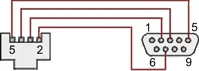
RJ11-to-DB9 cable with rear view of DB9 connector to PC
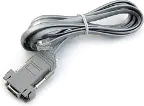
RS232 cable, meter to PC, P/N CBL01
Laureate 1/8 DIN Laureate instruments must be equipped with a serial communications board and be connected to the computer via a serial communications cable. The connection can be via RS232, RS485, USB or Ethernet. Following setup, the serial communications board may be removed from the instrument if desired. The wiring of the RS232 cable is illustrated above with end views of the two connectors.
Laureate LT Series transmitters come standard with a 3-wire serial interface, which can be jumpered for RS232 or RS485.
Laureate LTE Series transmitters come standard with an Ethernet interface.
Click on any of the reduced screens below for a full-size screen view, then click on the Back button of your browser to return to this page. The screens examples below are for a fully-loaded Series 2 Digital Panel Meter (DPM), which is connected to the PC via RS232. If the meter is a Series 1 meter (pre-2007), this is sensed by the software, and somewhat different screens are brought up. Please see Series 1 setup screens.


From the Main Menu, click on Readings if your PC is connected to the meter. A pull-down menu then offers three choices: List, Plot and Graph.


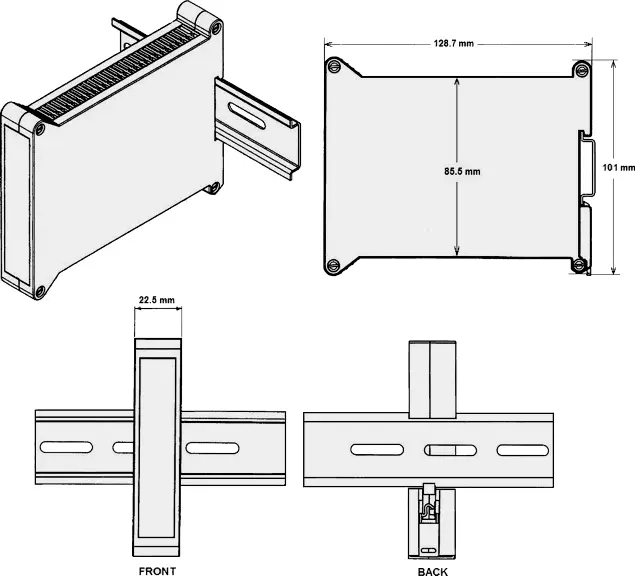
Dimensioned CAD assembly drawings in EPRT, STEP, x_t, .dwg, pdf file formats: Laureate-transmitter-case.zip (zipping prevents browser from opening CAD files as text files).
CAL-Analog
Certificate of Calibration
$65.00DLS-XLOG2
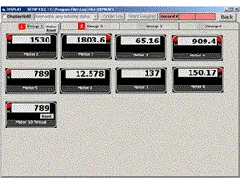
XLog2 Data logging Software
$495.00CON01
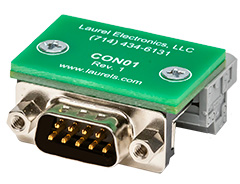
CON01 Connector
$75.00CBL6
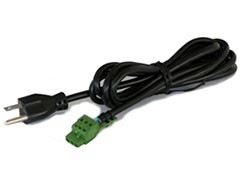
6-foot Power Cable
$41.00CBL12
12-foot Power Cable
$47.00CBL02
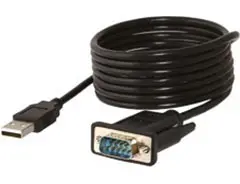
USB-to-RS232 Adapter Cable
$47.00CBL04
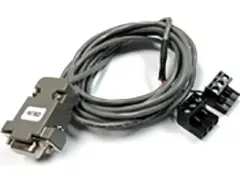
RS232 Cable for LT Transmitters
$47.00Standard signal conditioning gets a load cell or process signal into a usable range — but weighing itself has its own set of practical needs: rounding a display to a sensible increment, offsetting a setpoint to account for a filling valve's dispense lag, or zeroing out drift automatically between readings. The LT DIN Rail Transmitter for scale and weighing applications is built around firmware specifically for these tasks, rather than being a general-purpose signal conditioner pressed into weighing service.
This transmitter runs the same weighing firmware found in Laurel's scale meters, layered on top of the standard LT hardware platform. That firmware adds functions a general load cell or process transmitter doesn't have: relay setpoint offset, count-by rounding, a fixed right-hand dummy zero for larger displayed values, and auto-zero drift compensation — all aimed specifically at scale and batching use rather than generic signal retransmission.
A relay's ON/OFF setpoint can be programmed with an offset to compensate for known mechanical lag — for example, if a filling spout continues dispensing roughly 2.5 lbs after a shutoff signal, an offset of -2.5 lbs lets the setpoint stay at the true 100 lb target while the relay itself trips at 97.5 lbs, so the finished batch lands on target rather than over it.
The displayed and transmitted reading can be rounded to a chosen increment — 1, 2, 5, 10, 20, 50, or 100 — so a scale reports in sensible units rather than raw counts; for count-by 10, an internal count of 15 to 24 displays as 20. A fixed right-hand dummy zero extends the display range to 999,990 for applications with larger values, at the cost of a displayed decimal point.
An auto-zero limit of 0 to 9 counts can be programmed so the transmitter automatically re-zeros whenever the reading settles within that range of zero, compensating for load cell drift without operator intervention. Separately, auto-tare and manual tare handle container or fixture weight — auto-tare zeroes the current weight via an external pushbutton, while manual tare accepts a specific stored value via control input or setup software.
Calibration uses a straightforward two-point method: with no weight on the scale, a LO IN button sets the zero reference; with a known weight applied, a HI IN button sets the span reference. The transmitter then computes scale and offset automatically. Two variants of this method are available — the coordinate reading method, which reads actual signal values directly and is suited to having a real calibration reference on hand, and the manual coordinate method, which accepts entered voltage values when no physical reference is available.
A built-in 10V, 120 mA excitation output can power up to four 350-ohm load cells wired in parallel, with their outputs averaged together — sized for typical platform and tank scale configurations rather than a single-cell setup. Either the load cell signal conditioner board or the DC signal conditioner board (set to ratiometric mode) can be used, though the load cell board's most sensitive ranges (±20 mV, ±50 mV) go lower than the DC board's most sensitive range (±200 mV).
What sets this transmitter apart from a general-purpose load cell or process transmitter isn't the underlying signal conditioning hardware — it's the weighing-specific firmware layered on top: setpoint offset, count-by rounding, auto-zero, and two-point calibration built around how scales are actually operated day to day. For applications where those specific functions matter, this variant saves the extra configuration work a general-purpose transmitter would otherwise require.
This transmitter uses firmware specifically written for weighing — count-by rounding, gross/net toggling, relay setpoint offset, auto-zero — while the standard load cell transmitter is a general-purpose signal conditioner without those weighing-specific functions built in.
It compensates for a known delay or overshoot in the physical process being controlled. If a filling valve dispenses an extra 2.5 lbs after the shutoff signal, entering a -2.5 lb offset keeps the setpoint at the true target weight while the relay actually triggers earlier, so the finished weight lands on target.
It rounds the displayed and transmitted reading to a chosen increment — 1, 2, 5, 10, 20, 50, or 100 — rather than showing the raw unrounded internal count.
Shifting the display to a fixed right-hand zero extends the displayable range up to 999,990, at the cost of not being able to show a decimal point — useful when weighed values exceed the standard ±99,999 range.
It compensates for load cell drift by automatically re-zeroing the reading whenever it settles within a programmed limit (0 to 9 counts) of zero. Setting the limit to 0 disables the function entirely.
The coordinate reading method has the transmitter read actual high and low signal values directly, with the user entering only the corresponding reading values — suited to having a real calibration reference on hand. The manual coordinate method has the user enter the high and low input values in volts directly, useful when no physical reference is available.
Yes, when set to ratiometric operation with the transmitter's 5 Vdc or 10 Vdc excitation, though its most sensitive full-scale range (±200 mV) is less sensitive than the load cell board's most sensitive ranges (±20 mV and ±50 mV).
The built-in 10V, 120 mA excitation supply can power up to four 350-ohm load cells wired in parallel.
Gross weight reflects the total measured weight including any container or fixture; net weight subtracts a stored tare value to show only the weight of added material. The transmitter toggles between the two as needed.
For general load cell or microvolt signal conditioning without the weighing-specific display and setpoint features, the standard load cell transmitter is the more appropriate choice; for ratiometric process signals more broadly, the process transmitter is the alternative.
Gradual drift over hours is commonly linked to temperature changes affecting the load cell or its cabling; enabling or tightening the auto-zero limit is often the first practical fix, alongside checking whether the drift correlates with ambient temperature swings.
A consistent, repeatable overshoot points to physical dispensing lag rather than a measurement error; this is the specific case the relay setpoint offset function is designed to correct.
Differences in cable routing, shielding, or proximity to electrical noise sources between two otherwise identical installations are a common cause; comparing cable shielding and grounding between the stable and unstable units is a standard first step.
The standard approach is disconnecting and testing each load cell individually against a known reference weight before reconnecting it, since a single mismatched-sensitivity or faulty cell can skew the averaged reading in a way that's hard to isolate once summed.
Re-verifying the two-point calibration is the first step — confirming the LO IN reading was captured with genuinely zero weight on the scale, and the HI IN reading was captured with an accurately known reference weight, since an error in either calibration point offsets every reading afterward.
6-wire wiring changes how the transmitter compensates for lead resistance compared to 4-wire, so a calibration performed under one wiring configuration doesn't necessarily carry over after switching; recalibrating after any wiring change is the recommended practice.
Motors and variable-frequency drives are well-documented sources of electrical noise that can couple into load cell wiring; checking cable shielding, grounding, and physical separation from the noise source is the standard remedy before suspecting the transmitter itself.